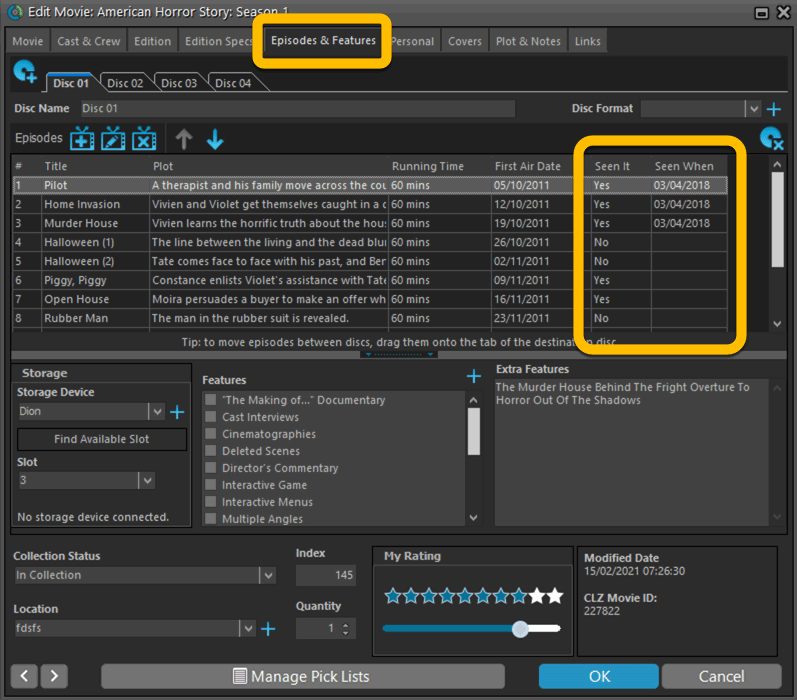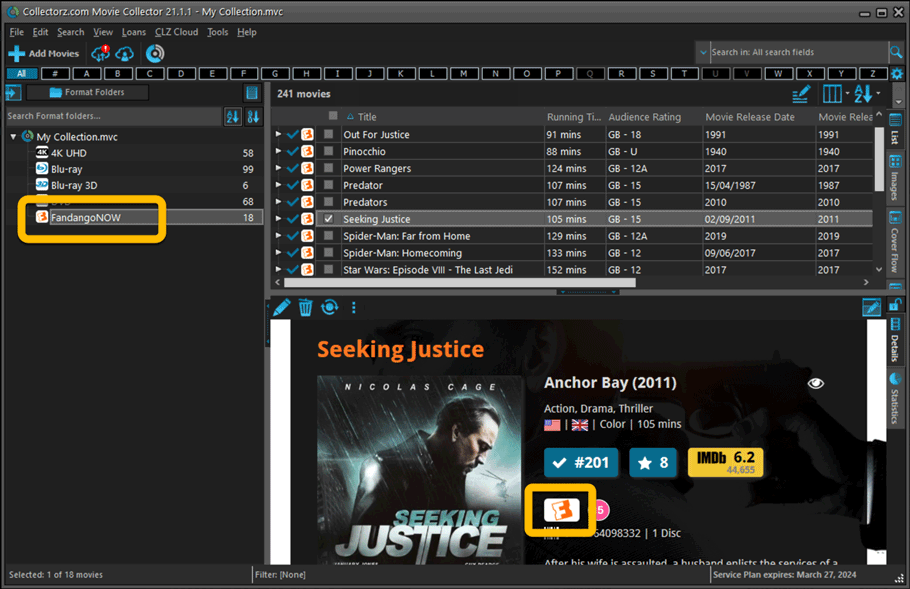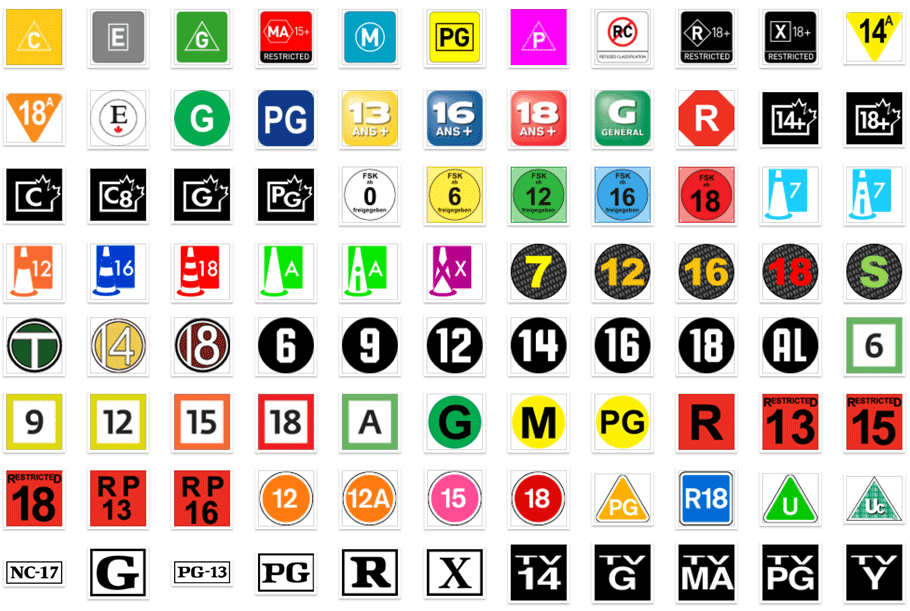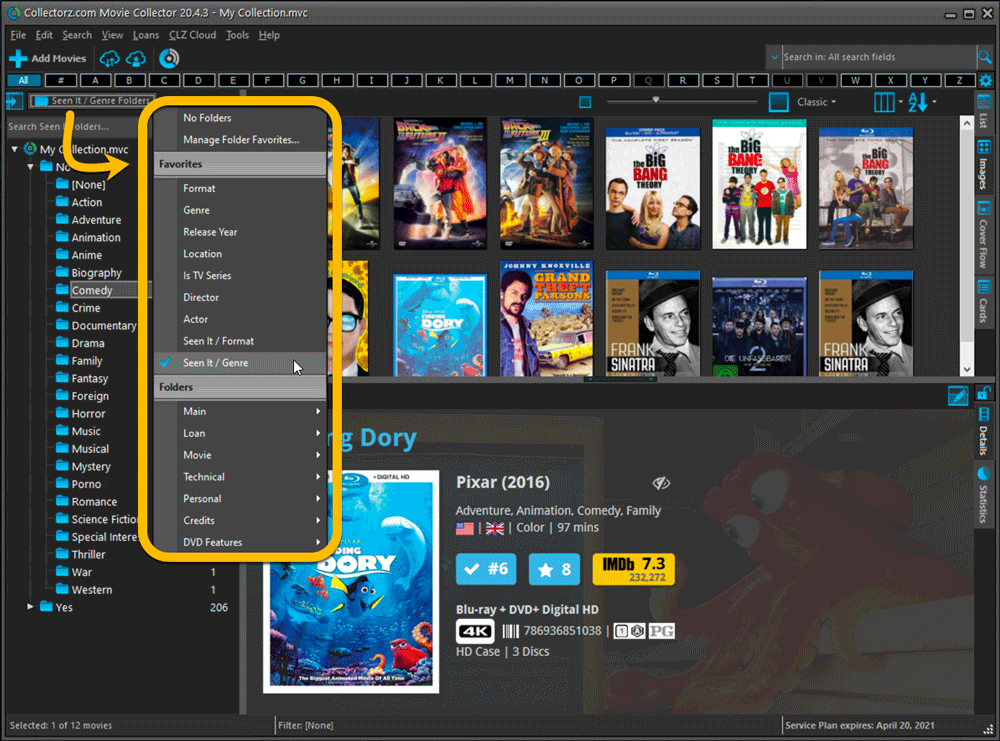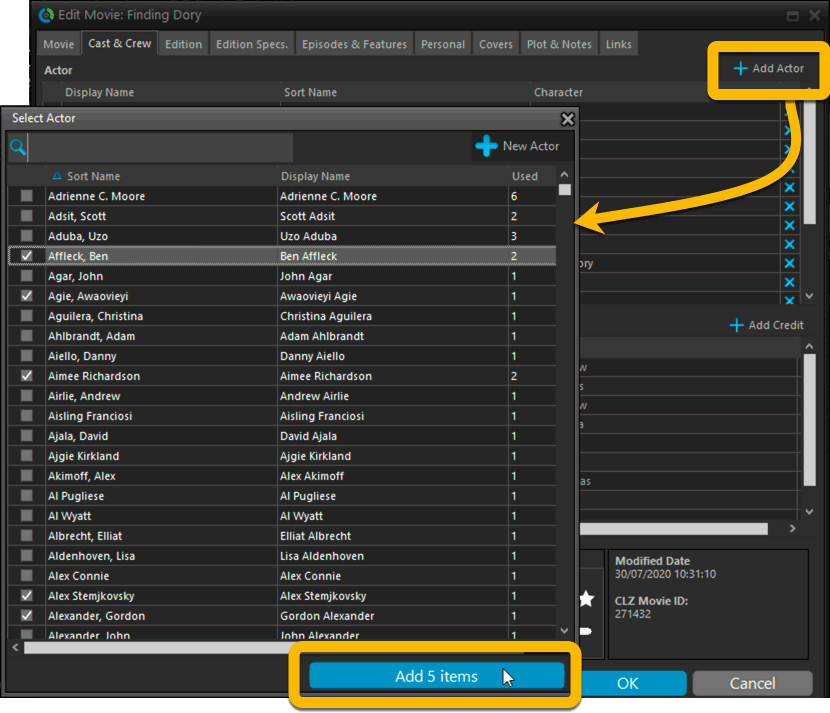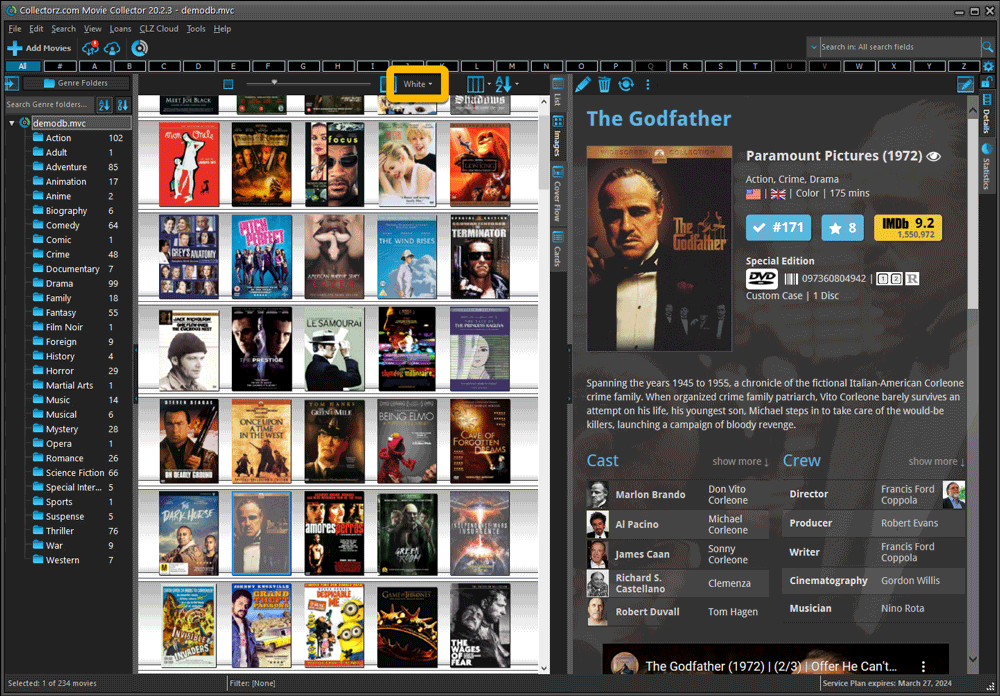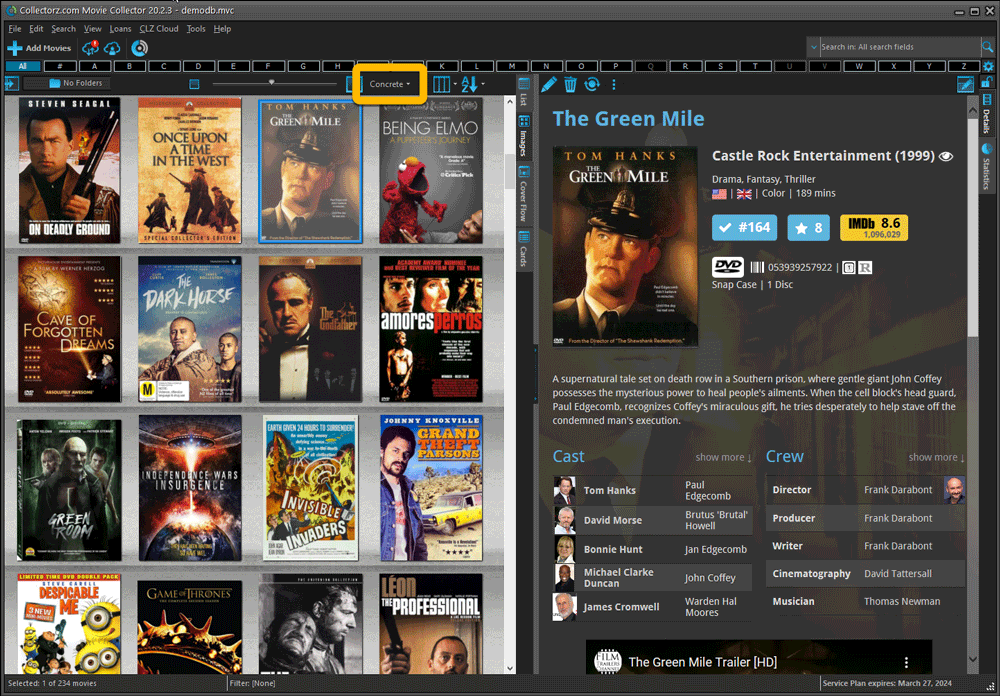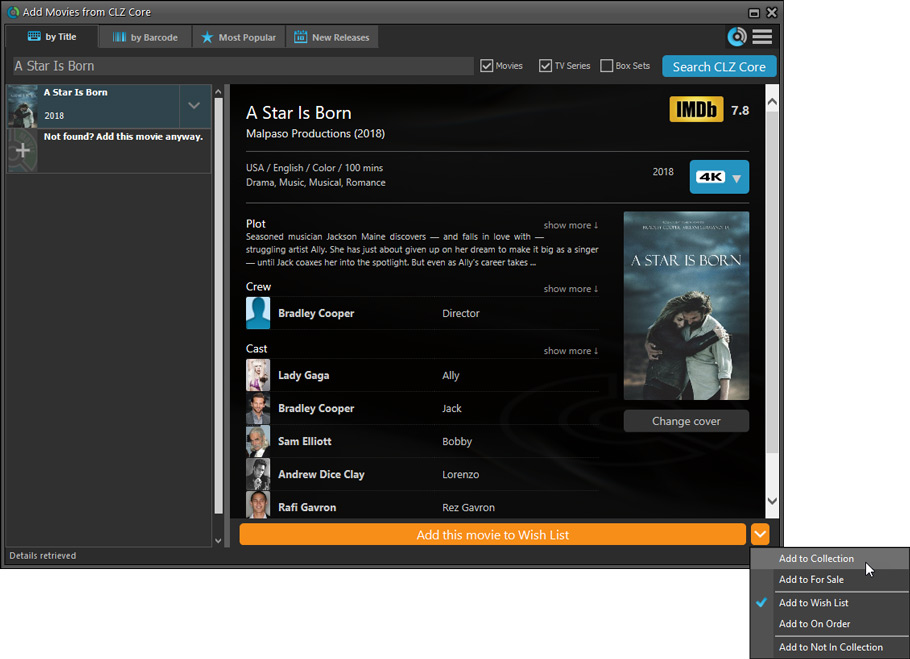

Version 6.2 build 2 (May 13, 2009) Export to iPhone / iPod Touch - Fixed: For some databases only a subset of movies tranferred to Clz Movies (problem was caused by illegal characters in Plots) - Fixed: Connection problems, data transfer halting at 40% Version 6.2 build 1 (May 11, 2009) Export to iPhone / iPod Touch - Browse your movie collection on your iPhone or iPod Touch with the new Clz Movies app - Available in Apple AppStore for $9.99 (search the AppStore for "clz movies") - Use File | Export to iPhone / iPod Touch to transfer your data to the Clz Movies app (Requires Wi-Fi connection on your iPhone or iPod Touch, connecting to the same local network (LAN) that your Windows computer is in.) Movie Collector MCE viewer: - New Page Transitions: Rotate, Popup, Bounce, Back and Forth - Now supports the MCE built-in Parental Controls settings (US only, as it requires the use of US audience ratings G, PG-13, R, NC-17 and NR) Add/Update Movies Automatically: - Search Queue can now be sorted by clicking the column headers - Improved handling of scanned barcodes that contain extra scanned digits - Fixed: Screen didn't always close when "Auto-close" setting was checked (mainly in Update mode) - Fixed: Region filter wasn't always applied to the search results immediately - Fixed: Various problems when using the CueCat in "Search Now" mode Languages: - Updated German language support, thanks Klaus Elsbernd! Version 6.1 build 1 (February 11, 2009) Screen Fonts: - Movie Collector screens look much better, because they now use the Windows system font (Segui on Vista, Tahoma on XP) - Don't like it? Then use Tools/ Options / Screen Font to choose your own font for all screens. - Want larger fonts for your lists? Just use Ctrl-PLUS and Ctrl-MINUS to increase/decrease the main screen font size (or View / Font Size). Add Movies Automatically: - Improved Region Filter, now handles Blu-Ray A/B/C regions correctly Fixed: - Opticon scanner was not detected correctly on some systems - Add/Update Automatically: - Update Automatically: Series entries were falsely marked as updated in some cases - Update Selected: updating selected movies from the main screen could result in an Access Violation - Link Movies would cause an Access Violation in folder mode - Add Anyway: adding a movie that already existed in the database could result in an Access Violation - Update selected added the movie instead of updating it - Edit Movie: - Duplicate entries in lookup list weren't handled properly Languages: - Updated German language support, thanks Klaus Elsbernd! - Updated Polish language support, thanks Lukasz Jakubowski! Version 6.0 build 4 (January 15, 2009) - Further refinements to the Add Movies Automatically screen: - Use the Add Selected button to add the selected result, without checking its checkbox - Use the Add Checked button to add the "checked" results (this button automatically replaces the Add Selected button as soon as you check a box) - Bigger Show/Hide Queue button, to make it stand out more - The "Already in collection" message is now is a "Add it Anyway? Yes/No" popup - Several other cosmetic improvements - Improved Find Scanner function: - CueCat is now detected too - Detecting Flic scanner is now faster Fixed: - Add Movies Automatically: - Access Violations when adding lots of movies in one session - Add Anyway wasn't always behaving correctly - In some situations, the cover images were downloaded twice - Export To HTML: Access Violation when selected Details Template was missing - Print Screen: Some of the settings weren't remembered correctly - Statistics Screen: Price totals were incorrect in some cases - Import From Text: Importing movies didn't increment the index field correctly Version 6.0.3 (December 18, 2008) Further improvements to the Add Movies Automatically screen: - Search by barcode: after searching, the (single) search result is now automatically selected, checked and shown in the Preview Panel, so you only have to hit Add to add the movie to your database. - Queue Mode: - While searching by barcode, the last completed queue entry now automatically gets selected and updated with the found movie title - You can now double-click a queue entry to perform a "Search Selected" Fixed: - Movie Collector MCE: various problems playing movies Version 6.0.2 (December 12, 2008) - Add Movie Automatically: - New "Format" column in Search Results, useful for spotting Blu-Ray releases - Add Anyway button can now also be used to add movies - when "already in collection" message occurs - when there are results but not the correct one. - Fixed: Focus/Selection problems after Edit Search Criteria - Fixed: Focus/Selection problems after Remove - Fixed: When adding items with Add Anyway the Index value was not incremented - Fixed: Add Anyway button did not work in Search Now mode. - Fixed: Edit Movie, Links tab: Adding movie files did not work correctly - Tools / Options / User Templates: Browse button showed the wrong folder setting - MCE Viewer: - Viewer wasn't running on Vista 64 machines - Video View mode could freeze the viewer Version 6.0.1 (December 9, 2008) New Add Movies Automatically screen: - Now uses ONLY the (improved) Collectorz.com online movie database for movie information, DVD details and cover images (For clarity: it will NOT use IMDb anymore, or Amazon, DVD Empire, Adult or Gay DVD Empire, SendIt, DVD-Shop, Atlantic DVD or DVD FR.) - The new "single source" screen replaces both the Wizard and Advanced Mode screens and makes it much easier and quicker to add movies, just search, select your result (once) and click Add. - Or: select multiple results and add multiple movies from one search (e.g.: search for "die hard", select 4 movies and click Add to add em all) - Hide / Show Search Queue button to switch between "Search Now" and "Add to Queue" mode - Edit searches in Queue with new Edit Search Criteria screen (right-click menu). (This replaces the confusing Update in Queue system) - New "Add Anyway" button to add a movie anyway when no results are found, automatically using the Barcode or Title you already entered for the search. - New multi-column Search Results panel, with separate Title, Year, Barcode, Region, Cover Yes/No columns - New "New Releases" tab page, showing the latest DVD and Blu-Ray releases, just select one (or more!) and click Add. - New "Most Popular" tab page, showing last week's most popular movies, including theatrical releases. Select and Add, no searching needed. Improved Collectorz.com source: - Now delivers larger cover images (600px high instead of 400px) - Highly improved barcode coverage because the Collectorz.com server now uses Amazon "on the back-end" to get data and images for barcodes that are not recognized using its own database. - Now delivers more edition specific front covers, because in case the Collectorz.com database misses the front cover, it automatically gives you the cover available at Amazon. - Further improvements to the Region 1 barcode coverage because the server automatically uses hometheatherinfo.com's excellent Region 1 DVD List for barcodes that are not recognized using the Collectorz.com database or Amazon. - Delivered movie data now includes IMDb Number, IMDb link and Amazon link - Improved performance: upgraded server hardware makes searches lightning fast. Improved Movie Collector MCE viewer: - New views: - Thumbnail Flow, Slide Show - Video Views: browse your collection while a movie is playing - Screensaver : automatic movie cover slide show - Improved Play Movie feature - Use PowerDVD for playing DVDs and Blu-Ray discs - Play ISO's using either Daemon Tools Lite or Virtual Clone Drive - Quick Jump: use the keyboard in any view to jump to a movie - Smoother navigation: - Change Views and keep the same movie focused - Smooth page transitions, choose from: Slide, Fade, Zoom or Matrix - Improved overall performance - New Themes: Transparent and Custom (select your own background image) - use Play button or Ctrl key to show the onscreen keyboard (instead of "K") Printing: - New Print screen with improved layout, making it more logical and easier to use, especially when printing simple lists Improved support for barcode scanners - Added support for the Opticon OPN-2001 laser scanner - Improved support for the Microvision Flic laser scanner - Improved support for the CueCat scanner Fixed: - Export to HTML: Browser title bar wasn't showing the movie title - Main Screen: Folder view on features would result in error 'Invalid Field "Features" when dragging and dropping - MyMovies import was not properly handling special characters - Edit movie: - Episodes and features tab: dragging and dropping an episode could result in an 'index out of bounds' error - links tab: VOB files were not converted into the corresponding IFO file when dragging and dropping - DVD Profiler import: "storage device" and "slot" were not imported properly - Filter screen: Boolean conditions weren't remembering the comparison operator properly - Filter screen and presets were not available in read-only mode Version 5.6.2 (September 10, 2008) Fixed: - Vista 64: Using the Images tab caused 'List Index out of bounds' error and Access Violations - Vista 64: Details View templates did not show CSS background images - For some movie file types, the play links in the Details View didn't work - Corrupted user settings XML files could cause Range Check Error and Access Violations - SendIt.com script stopped working due to their website changes - My Movies import problems related to the encoding of special characters - Movie Collector: various problems when there were duplicate Index values in the database. - Add Automatically: "Update Query From Result" could cause an Access Violation in some cases Version 5.6.1 (June 24, 2008) Movie Collector MCE improvements: Vista only: - Choose between two themes: Black and Vista Blue (use Tools / Options / MCE in Movie Collector) - Movie Details page: Select cover to make it flip around and show the Back Cover - Improved mouse support XP: - Now also includes movie links to play movies directly Standard vs Pro: these features are now PRO-only: (all owners of a v5 Standard license will get a FREE Pro Upgrade) - Filter screen - Saving Column, Sort Order and Folder field sets - Statistics screen - Changing Field Names - User Defined Fields - User Defined Credit Roles Fixed: - Main Screen: Clearing the quick search would apply current filter instead of not filtering at all - Filter Screen: An Anywhere condition could cause an Access Violation in some cases Version 5.5.3 (May 23, 2008) Movie Collector MCE: - When multiple movie files are linked to a movie, the Play button in MCE now lets you select a file - Several performance improvements, especially noticable on large collections - Fixed: data loading issues on Vista 64 Fixed: - Main Screen: - Sizes of classic sceen layout weren't always restored correctly after start up - Tree behaviour could be mixed up in some layouts after start up - The button on the splitter between Details and List made the splitter go up instead of down - Edit Movie: Capitalization and Sort options causes Access Violation - DVD Profiler import: actor names and other credit names weren't always imported correctly - My Movies import: File locations weren't always imported correctly Version 5.5 build 2 (May 6, 2008) Added: - New Movie Collector MCE viewer for Media Center (created by Brian Baskerville of mcezone.com) (Note: some features are only available under Vista) - cool new look and feel in several different views (Large Covers, Thumbnails and Titles) - search by Title, Genre or Rating right from the MCE viewer - use the on screen keyboard to find movies starting with a specific letter - order your movie list by Title, Year or a Custom order (defined in Movie Collector in Tools / Options / Media Center) - Define a Filter for MCE data in Tools / Options / Media Center - No exporting to MCE necessary, the MCE viewer always uses an up-to-date data set - New Screen Layout setting, offering six different layout configurations of tree, list and details panel - Horizontal Split - Vertical Split - Full Width Details - Full Height Tree - Full Height Details - Classic Layout (the pre v5.5 layout) - Improvements to the multi-disc and TV series / episodes support - Movie items are now shown in the tree panel, so that they can be expanded to show their details - Expand a movie item to see its Disc items. - For TV series, expand a Disc items to see the episodes on that disc - Select a Disc item in the tree panel to view its episodes in the List panel, including their Sequence Number, Title, First-Air Date, Plot, etc... - New icons and Detail View logos for Betamax and CED formats - Import data from My Movies - Islandic language support, thanks to Gunnar Magnusson Fixed: - Edit Multiple: price fields could not be cleared using F8 Version 5.4 build 4 (March 03, 2008) Changes: - several Centurion support improvements Fixed: - Filter settings weren't saved to User Files Folder setting location but to the MyDocuments folder although they were loaded from the specified location Version 5.4 build 3 (February 8, 2008) Fixed: - Edit Movie: - the several price entry boxes still looked different from other entry boxes - Submitting Movies: - Submissions didn't arrive at collectorz anymore - Main Screen: - prices were shown even when 0 or empty - CueCat support: - EAN-13 barcodes weren't scanned properly - some barcodes were generated with a wrong check digit Version 5.4 build 2 (February 5, 2008) Fixed: - Add advanced screen: - right clicking an item in the search queue showed some options in the screen greyed out when they shouldn't be - when selecting a searched movie from the queue it did not show the corresponding result - Main screen: - with some templates the details screen didn't always show the personal details box in the upper right corner - Ziotek storage device: ejecting a disc would always eject the disc in slot 1 - Edit Movie: - the several price entry boxes looked different from other entry boxes - clicking the update button could bring up a 'Hotkey is already registered' message Added : - Portuguese language support, thanks to Paulo Neves Version 5.4 build 1 (February 4, 2008) Changes: - Support for Centurion CD carousel devices - Use Storage fields in Edit Movie screen to link your movies to Centurion CD volumes - Movie Collector handles Centurion CD disc inserts - Improved TV Series / Episode support: - new Episode / Air Date field - new Episode / Running Time field - Templates: - New MvC5 Compact template, for previewing in Add Automatically screens, in Blue and Black styles - New Full Covers templates in Blue and Black styles - New "Gray" style for Movie Collector 5 template - Improved CueCat support: - Improved CueCat handling in main screen - Improved CueCat handling in Add Automatically screens - CueCat can now also be used in the Edit Movie screen (automatically fills barcode field then) - In Collection Status: - New value "On Order" - Filter status is now shown in bottom of main screen - Export HTML, Paged by Title First Letter option now allows choosing the Sort Order of items within pages. - Add Automatically: Downloading price data is now optional (through Search Settings) - Submit to Collectorz.com: now remembers Last Submission Date for each movie - Tools / Options: new setting "User Files Folder", for choosing the folder where column, sort and filter settings are saved (defaults to My Documents\Movie Collector) Fixed: - Filter screen: - Filtering on Price and Current Value fields did not work correctly ("value is invalid" errors) - Filtering on Date fields did not work correctly - Filtering on empty values on picklist fields did not work correctly. - When saving a filter, leading or trailing spaces in values got lost - Several user interface issues in the filter screen - Export to iPod: when exporting including status indicator, the lists were not split correctly. - DVD Profiler import: Purchase price was not correctly imported - Sort title generation of person names could result in leading space in first name field - Add Automatically: - Sort Title was always filled in, even when exactly the same as the Title - Wizard Mode: after adding then editing the main screen did not correctly select the added item - DVDFr script stopped working due to their website changes - Gay DVD Empire scripts stopped working due to their website changes - Main screen: - Reassign index fields had no effect while in folder view - Changing the sort order sometimes required two column header clicks - Closing application from Windows taskbar while customizing toolbar caused an Access Violation - When selecting multiple items 'Edit Movie' was still enabled in right click menu - Loans screen: filter text was cleared when pressing the filter button - Edit Movie screen: - Price fields now only accept valid price values - Crew lists didn't display scrollbar when column sizes exceeded list width - Printing: - Some pictures like rating stars were not showing in print out - Templates: Classic Details View templates were always showing Storage header even if none were specified. - Windows Media Center: when exporting to a folder the index.html was missing in some cases - Edit Lists : fields of Box Sets were not counted in "used" count Version 5.3 build 2 (November 19, 2007) Added: - AutoCap feature for Episode Titles (in Add/Edit Episode screen) Fixed: - Export to HTML: index.html was not created when using "Use main screen setting" under Sort Order - Export to HTML: "Range Check Error" when using "Use main screen setting" under Sort Order - Import Other Database: Storage device values were not imported - Automatic Sort Titles didn't work correctly for titles already in "Title, The" format - License name that has non-ASCII characters was not removed from lock file correctly causing "Read-Only" situations Version 5.3 build 1 (November 14, 2007) - Searching your database: - Completely redesigned Filter screen - Build advanced filters using brackets, AND, OR, NOT, equal, not equal, greater than, less than, contains, starts with, ends with, wildcards - Save your filters and activate them directly using the Filter menu on the toolbar - Faster Quick Search - Sorting: - Save your sort order definitions and activate them directly using the Sort Order menu on the toolbar - Simpler Sort Field selection screen, just use checkboxes to select the fields you want. - Columns: - Save your column definitions and activate them directly using the Columns menu on the toolbar - Simpler Columns selection screen, just use checkboxes to select the fields you want. - Folder selection: - Save you custom folder field combination and activate them directly from the Folder menu above the tree - Simpler Folder field selection screen, just use checkboxes to select the fields you want. - Automatic Sort Titles - new "Generate Sort Title" button in Edit Movie screen - Sort Titles are now automatically generated from the Title when using Add Automatically - use Tools / Options / Sort Titles to configure recognized articles (the, a, le, la, die, der, das, etc..) - Automatic Capitalization of Titles - new AutoCap button next to Title in Edit Movie screen - Titles are now automatically capitalized when using Add Automatically - use Tools / Options / Capitalization to configure auto-cap settings and exceptions Added: - Spanish language support, thanks to Jose Rodriguez - Indonesian language support, thanks to Yohanes Kurniawan Fixed: - Edit Lists: Auto-Resort checkbox was shown at the wrong position when using a small screen - Three part person names (e.g. Barbara Taylor Bradford) got split into First/Last Names incorrectly - Edit Movie / Covers: Edit and Copy button did not get enabled after adding an image - Adult DVD Empire search Version 5.2 build 5 (August 17, 2007) Fixed: - Missing Full Details Classic Print Template added - Size of covers in Classic View Template fixed - Rating stars were white instead of yellow in Classis View Template - Access Violation when using Edit at the end of the Add Wizard Version 5.2 build 4 (August 15, 2007) Templates: - New CSS Styles system now also available for Export and Print templates - New Movie Collector 5 template can now also be used for printing - All Full Details Classic styles can now be used for Exporting to HTML Add Automatically: - DVD Empire: search results now include HD-DVD and BluRay releases - Gay DVD Empire" results are now sorted by (search) rank - All Amazon sources: the cover price is now retrieved and put into the purchase price field. Added: - Norwegian language support, thanks to Erlend Øfstaas Fixed: - Rare Access Violations after adding a new movie using the Add Wizard - Adding an episode to a disc reversed the modifications to the current disc - Manage List Screen: the auto resort checkbox sometimes appeared in the wrong location - Lock File system: concurrent use check now includes Windows user name - Updated French language file to verison 5.2.3, thanks to Cyrille Maurice Version 5.2 build 3 (July 24, 2007) Change: - Add Automatically: screens now remember last used search box - Add Automatically Advanced Mode: Bar code is now automatically cleared after Add to Queue - Read-Only mode: new Tools / Maintenance / Reset Lock File command for resolving lock-file issues Fixed: - Dropping Box Set covers in the Edit Box Set screen did not work correctly. - Loan Management features were available in Standard edition - Incorrect "Read-Only" mode messages after problematic program shutdowns Version 5.2 build 2 (July 13, 2007) Added: - Brazilian Portuguese language support, thanks to Walter Müller Jr. Fixed: - Bug fixed: Cannot focus a disabled or invisible window error in edit movie screen - Updated French language file to version 5.2, thanks to Cyrille Maurice - Updated German language file to version 5.2, thanks to Klaus Elsbernd Version 5.2 build 1 (July 12, 2007) Added: - Improved network support - New lock file system automatically prevents concurrent editing - When one user is already using a database in Writable mode, subsequent users will automatically open the database in Read-Only mode - in Read-Only all editing features are hidden and disabled, allowing viewing and searching only - Create Read-Only workstations by running a forced Read-Only installation (start the installer with the /readonly command line parameter) - Improved Loan Management - Print loan lists - Use Flic scanner in Loan Management screen to Loan or Return movies - Use the Quick Search box to search your Loan History by Title, Bar code or Loaner name - New Email and Address fields in the Loaner item - New date selectors in Loan Info screen - Edit Movie screen - New Tags fields on Personal tab page - New entry boxes for easier adding of values to check list fields (e.g. Genre, Extras) - Full Help File in German (thanks Klaus!) - Updated Croation language file to version 5, thanks to Cedomir - Updated German language file to version 5, thanks to Klaus - Updated Greek language file to version 5, thanks to NASKO - Upgraded to Delphi 2007 Fixed: - Edit Movie: Several problems when using the Update and Submit buttons - Edit Movie: List Index out of bounds error when choosing Cancel, then No on the Yes/No question panel - Add Automatically: Movie credits did not show up in Preview panel - Disc (Extra) features were not being retrieved properly from info sources - Quick search was not searching in discs and episodes - Add Automatically Wizard: Access Violation when using Previous button while searching - Buttons on covers-tab were not enabled properly when adding a cover - In some cases Format icon did not follow Format changes directly Version 5.1 build 2 (May 31, 2007) Added: - Edit Movie screen: horizontal splitter in Episodes / Features tab page Fixed: - Database conversion: several problems converting existing Storage Slot data - "Invalid pointer operation" when closing the Add Movie Manually screen using the "X" - "Opening in Read-Only Mode" errors - Episodes in Details View: Disc headers are now only shown when there are episodes on multiple discs - Box Sets: when scanning images the front and back covers got saved under the same filename - Several localization issues Version 5.1 build 1 (May 30, 2007) Added / Changed: - Multi-Disc support: - Use the new Episodes & Features tab page to create Disc items for each disc in a multi-disc DVD set - Enter Episode lists per disc - Enter Standard Features and Extra Features per disc - Improved carousel support: now enter Storage Device and Slot per disc - Automatic Episode numbering - Improved View, Export and Print template to show episodes, features and storage data per disc - Enhanced Box Set support - Box Set item now has extra fields for Front cover, Back Cover, Release Date, Barcode, Purchase Date, Price, Store, Condition, Current Value and Notes - All Box Set fields are now shown in a special Box Set bar at the top of the Details View (in both Movie Collector 5 and Classic templates) - new Box Set List button on toolbar for direct access to the Box Set List screen - new Movie fields on Edition tab page: Distributor and Extras - Edit Movie screen now supports the Collectorz.com barcode scanner to fill the Barcode field - Windows Media Center: it is now possible to link to .VOB files or .IFO files (DVD rips) in the movie links section and play them from Windows Media Center - Improved look of In Collection Status images in tree and list Fixed: - Edit Movie: Incorrect "Are you sure?" message when cancelling without having made any changes - Edit Movie: [Add/Edit] command disappeared from drop down list after using F2 - Export to HTML: Crew did not appear in version 5 export templates - Details View: Templates with multiple stylesheets were not detected in user templates directory Version 5.0 build 2 (May 7, 2007) Fixed: - Access Violation after closing the Edit Movie screen (happened only on some system configurations) - "Abstract Error" when scanning a barcode directly from the main screen - When using Next/Previous to add Links to multiple movies, the links were all added to the first movie only. - Export to HTML: - descending sort order did not work - Custom list template appeared in Saved Template List - Include Thumbnail Column setting in saved templates did not work correctly - Loans: - Returning a loan did not work - Main screen was not refreshed after using the Manage Loans screen - When adding the "Episodes" field to a printed list, the column showed no values - Storage / Eject command was missing from right click menu in Images View - Windows Media Center export did not work when there was an ampersand (&) in the Windows username - Movie Collector 5 template: - Original Title was missing - IMDb Rating was missing - for movie entries without cast or crew, the Personal Details overlapped the "floating" box on the right - several localization issues (thanks Klaus!) - updated French, Croation and Polish translation to version 5 Version 5.0 build 1 (May 1, 2007) Added: - Support for Episodes of TV Series - List episode titles and plots of TV Series on new "Episodes" tab page in Edit Movie screen - Download episode titles from the Collectorz.com info source automatically - Episode list shows up in Details View on main screen - Support for Box Sets - new Box Set field in Edit Movie screen - show your movies grouped by Box Set in the main screen. - Add links to movie files (DivX, Xvid, WMV, etc...) - Use the improved Links tab page to add movie files by dragging and dropping - Start your movie player by clicking the link in the Details panel in the main screen - Windows Media Center support: - Browse your Movie Collector database through Windows Media Center - Start linked movie files directly - Add Movies Automatically: - Improved Advanced Mode: tabs at the top have been combined, making it easier to search by Title AND Barcode in one go - Improved Wizard Mode: - It now takes less steps to add a movie - Screen is now resizable, for better previewing of results - Filter Collectorz.com search results: - show editions of a particular Region only (e.g. Region 1 only) - show editions that have a Cover only - or just hide all editions and list movie entries only - Amazon UK can now be searched by barcode - new Check Connection button - Initial order and selection of info sources is now dynamic, based on country defined in Windows - Regional Settings - Details View Templates: - New CSS Styles system - Template menu now allows selecting various "styles" for each template (using a submenu) - Styles can be created using CSS style sheets - Added several new styles for Full Details template - New Movie Collector 5 template, in 3 different styles (blue, black and iTunes) - New toolbar icons - New design for add/edit/remove and loan buttons - Many existing icons have been improved (smoother edges) - Edit Movie screen enhancements: - Improved layout of fields within tab pages - Screen is now resizable (and remembers its size too) - Column widths of Cast and Crew lists are now remembered - Improved Links tab page: - Add links to websites by dragging & dropping from your browser - Add links to local files by dragging & dropping - Added images show up in the Details View in the main screen - Easier editing of links and their descriptions - The "..." buttons next to pick list fields have been removed and replaced by a new [Add ...] command inside the drop down list - Fixed: "tabbing" to date fields needed an extra tab key press - Storage Slot data can now also be set as : 1 or 3-8 or 3,5,6,7,9 - Export to HTML: - New Movie Collector v5 Blue and Black detail page templates - Improved look of List and Thumbnails index pages - Improved look of Next/Previous navigation at the top of exported pages - New "Paged by First Letter of Title" option - Completely revised and updated Help file (english version only for now) Fixed: - Minor corrections to Danish translation (Wizard mode) - Image preview during online search failed if the Windows user account name contained two consecutive spaces - Online update from Edit Movie screen did not add new genres or other lookup items - Edit Lists screen now shows user defined field names (only for lists that are not shared by multiple fields) - Import from DVD Profiler 3.0 did not work Version 4.11 build 1 (December 20, 2006) Added: - Import from Text feature moved from Add Automatically screen to File / Import From / Text, so that items are imported directly into the database, instead of to the Search Queue. - Edit Lists: new "Merge Selected To" command in right mouse button menu, to allow selection of the merge "destination item" - new "Cover Image Dropping" setting in Tools/Options/Images to for disabling the "Copy or Link?" prompt - Language support for Slovenian, Swedish, Greek, Russian and Danish Windows Vista compatibility/compliance: - changed default location of user data (database, backup, images and thumbnails) to: \My Documents\Movie Collector\ - User Templates can now be (optionally) placed in a user configurable location (Tools / Options), which defaults to \My Documents\Movie Collector\Templates\ - "System" Templates (the ones included with the program) are still in /Movie Collector/Templates/ - changed location of Script and other "temp" files to: \Documents And Settings\[username]\Local Settings\Application Data\Collectorz.com\Movie Collector\ - Fixed: program hangs when closing on some Vista systems Fixed: - Check for update period was not taken into account - Drag and drop of images from FireFox didn't work - Details View did not update correctly after replacing a cover image (e.g. by dragging&dropping) - DVD Profiler import did not read the genre field - Performance problem when loading folder lists in Images View - Minor corrections to Polish language Version 4.10 build 6 (September 14, 2006) Editing Lists: - new right-click menu with Add/Edit/Remove/Merge/Generate commands - simplified Merge system: just multi-select items and choose Merge Selected - "Generate" functions can now be performed in batch on selected items in list (use Generate commands in right-click menu) - new "Auto Re-sort" checkbox on toolbar for enabling/disabling automatic resorting - Last Name column is now actually called "Last Name" (previously it was called "Name") - Next/Previous buttons in all Edit Item screens (e.g. Edit Actor, Edit Genre, etc..) Fixed: - Sorting of listfields now works similar to sorting of string fields. - Access Violation when clicking on a cover image without a selected item in the list - Export to iPod Notes (PRO only): changed status indicator for wanted from '?' to 'W' - DVD Fr search: Searching did not work correctly (HTML data showed) - Minor typos in the Italian and German language support - Edit Movie screen: Find Available Slot function now only applies upper limit of 150 to Ziotek storage devices - Submit screen: added columns that show whether a front and/or back cover is present - Submit screen: added check for max image size (500 kb) Version 4.10 build 5 (June 13, 2006) Fixed: - Automatic version update failed if another Collectorz.com application also updated automatically recently - Error message "Not a valid integer" when sorting text fields with very large numbers (e.g. barcodes) Version 4.10 build 4 (June 12, 2006) Added: - Statistics: Added a "Total number of disks" field - Language support for Italian - Sorting on text fields now takes numbers into account (e.g. 'title 10' sorts after 'title 2' instead of before) Fixed: - Program icon displayed in black/white instead of color on Windows 98 - Details View: Plot and Notes field showed garbled text under certain conditions - Loan Manager: returning a loan did not work correctly under certain conditions - Export to iPod: sort order for list export was not correct - Export to HTML placeholder image was not always properly scaled - Update for existing German, French and Croatian language support - Printing and Export to HTML: "Range check error" occurred on some systems - Export to iPod: error when exporting movies with a title starting with a period (.) Version 4.10 build 3 (May 17, 2006) Added: - Help topic about using DVD Carousels Fixed: - License validation: entering an invalid license did not show an error message - Searching on Amazon Japan with Japanese characters in the title did not work - French language: Quick search gave an error message "Format '%. ' invalid or incompatible with argument" - Automatic version update failed during installation if the automated 'check for update' detected a new version - Progress bar during lengthy operations is no longer visible outside the program - Program icon now looks much better - DVD Carousel support did not check for errors Version 4.10 build 2 (May 5, 2006) Fixed: - Printing: When using Full Details template an error message 'mismatched end tag' occurred - Printing and Export to HTML: "Range check error" occurred on some systems - In French language, error message "format %d invalid or incompatible with argument" when searching online - Windows XP theme support had stopped working - The automatic update option did not close the program if the trial splash screen was showing - IMDB search: exact matches did not retrieve all fields (notably cast) Version 4.10 build 1 (May 2, 2006) Added: - Export to iPod Notes (PRO only): export your list to the Notes section of your iPod - Automatic update option in Check For Update screen, which downloads and installs the latest version automatically - German, French, Turkish, Polish and Croatian language support - New Folder field: 'First Letter of Title', browse your movies using A - Z folders in the tree panel - New format icons for HD DVD and Blu-Ray Disc - Searching by barcode (UPC) on DVD Empire infosource is now possible - Find Empty Slot function for Storage devices now takes 'Number of Disks' value into account - Support for THX icon in Details View Changed: - Improved searching on IMDB to show popular titles first and ignore TV show episodes - Display LED on DACAL / Ziotech CD Carousel will be switched off at program end - Add Movies Automatically (advanced): Updating an entry in the search queue now clears its search results - Export to HTML uses placeholder image as a thumbnail if cover images are not available Fixed: - some usability issues in the Add Automatically Advanced Mode screen - Printing and Export to HTML: Text fields now show HTML tags correctly in list reports (e.g. the tag is shown as bold text) - Find Available Slot in Edit Movie screen: 'not a valid integer value' error appeared when using text in the Slot field - Export to HTML: Range check error under certain specific conditions - Export to Text: Access Violation when attempting to export zero selected items - Quick Search did not work after having done a Filter earlier using the "EXCEPT" option Version 4.9 build 5 (March 27, 2006) Fixed: - Add Movies Automatically: some header texts were missing in the Preview panel - Access Violations in Standard Edition when set to a Language other than English - Access Violation in Preview panel of Add Movies screen when using an Image folder that has special characters in it Version 4.9 build 4 (March 20, 2006) Fixed: - Range check error when updating movies from Collectorz.com infosource - Printing: Extra first column containing the linenumber in custom list reports - Add movies automatically: layout of the search results was not preserved after closing and reopening the screen Version 4.9 build 3 (March 16, 2006) Fixed: - Access Violation when program closes on Windows 98 - Color field of movie was not retrieved from Collectorz.com infosources. - Tapespeed appeared in details view when not set for non-english versions. - Printer Setup did not remember options. - Print and Export templates: Rowshading, Report Date and Thumbnails options were not applied correctly in non-english versions. - Customization screen for menus and toolbars was not translated Version 4.9 build 2 (March 9, 2006) Fixed: - Access Violation when using Small Images for the toolbar - Tools|Options|Images: "Scale down images" setting could not be higher than 100 - some english texts were still visible when using Dutch language settings - Installer did not create Start menu and Desktop shortcuts Version 4.9 build 1 (March 8, 2006) Multi language support: - All menus, screen texts, help file and installer can now be translated - Switch language using Tools / Language (only Dutch is available now, more coming soon) - Users can translate into other languages using free downloadable language editor Added: - New fields: Storage Device and Storage Slot - Support for DACAL / Ziotech CD Carousel via free downloadable driver Fixed: - Fullsize image window now handles images larger than screen correctly - Improved performance when opening databases from network/external drives - Improved overall performance Changes: - Upgraded to Delphi 2006 Version 4.8 build 9 (January 27, 2006) Changed: - Dropdown lists of year fields are now sorted in descending order - Now generates better looking thumbnails (use Tools / Maintenance / Repair Thumbnails to update yours) Version 4.8 build 8 (December 28, 2005) Changed: - Collectorz.com Movie Database moved to new domain www.moviecollector.net Added: - Manage Loans and Statistics screen now close upon pressing Escape Version 4.8 build 7 (December 14, 2005) Added: - Improved search for Collectorz.com infosource Fixed: -Improved searching on SendIt infosource -Improved searching on Adult DVD Empire infosource Version 4.8 build 6 (November 15, 2005) Added: - Link to Collectorz.com Movie Database website www.moviedatabase.net (in Help menu) - Link to Submission Guidelines in Submit to Collectorz.com Movie Database screen Fixed: - IMDB Number was not retrieved from the Collectorz.com infosource - Add Movies Advanced Mode: the Search button only worked on selected queue item (should work on entire queue) Version 4.8 build 5 (November 10, 2005) Changed: - Layout of Options screen - Removed "Retrieve Full Results while Searching" option (to reduce server load on all online info sources) Version 4.8 build 4 (October 29, 2005) Fixed: -"List index out of bounds" error in Submit to Collectorz.com screen -Original Title field was missing from Details View Version 4.8 build 3 (October 27, 2005) Fixed: - Added progress bar in the Submit to Collectorz.com screen - Moved Collectorz.com infosource to the top of the list - Adult DVD Empire search Version 4.8 build 2 (October 21, 2005) Fixed: - Submit to Collectorz.com Movie Database did not work Version 4.8 build 1 (October 21, 2005) Added: - new Info Source: our own "Collectorz.com Movie Database" - Add/Update Movies from Info Sources: queries in the list can be updated by hand or based on search results - new field Original Title (on Movie tabpage in Edit Movie screen) - New setting in Options/Images: Automatically check/update image file paths (OFF by default) - Improved performance when opening databases (with above setting set to OFF) Fixed: - Add/Update Movies from Info Sources: disabled popupmenu for lines in the search results that were not actual results - using Reset to Defaults while using small menu icons crashed the program - Edit Movie: Browse for cover dialog now also shows *.png files - Export to HTML: images that do not need processing (eg. scaling) are now copied instead of loaded and saved Version 4.7 build 5 (August 30, 2005) Added: -Ability to search Amazon DE, CA and JP by barcode (EAN) Fixed: - Customize menu: View->Folder button did not have the dropdown menu attached to it after adding it to a toolbar - Cover images were not exported to html correctly if the filename contained a "#" Version 4.7 build 4 (August 23, 2005) Fixed: - Access Violation after switching filter off and on - Cancel during Export to HTML did not work - Auto-Complete in Cast field did not work - Cover-image window disappeared when moving mouse over thumbnails view - "List index out of bounds" error when downloading a large batch of barcodes with the Flic scanner Version 4.7 build 3 (August 12, 2005) Added: - right clicking on list header now pops up a menu with the Sort Order and Columns commands Performance enhancements: - Opening Edit screen is now faster because Actor lists are now loaded "on demand" (the first time the dropdown list is opened) - Next/Previous in Edit Movie screen is now a lot faster Fixed: - Toolbars in Edit Movie now use large icons - All separate In Collection Status command were visible in Customize screen, instead of the button itself - Access Violation when starting the program after having set the toolbar to "small icons" - Online search: DVD Empire issues - Details View goes blank while editing in Thumbnails View - in some situations Details View goes blank after adding/editing movies - Printing: Details page did not print actor names if they had a value in their url field - Edit Movie: Quantity field was not completely visible Version 4.7 build 2 (August 4, 2005) Fixed: - After customizing the toolbar, the Buy Now button kept reappearing, even in licensed editions - Adding the "Details View template" command to the toolbar did not work - In some situations, choosing a different Details View template cleared the templates menu - Problems clearing the Quick Search box on the toolbar (text kept reappearing) - Details View: html tags showed up in Notes/Plot fields - Customize Toolbar: Tools commands were missing - Toolbar icons had a slightly "faded" look Version 4.7 build 1 (August 2, 2005) Added: - Flic barcode scanner support: -Add movies to the collection by scanning their UPC codes (works on Amazon US only) -Locate a movie in the collection by scanning its barcode -Cordless scanning for up to 500 barcodes -Laser scanner for high scanning speed and accuracy -Fully integrated support, no drivers necessary - New toolbars and toolbar icons -Main screen toolbar is fully user-configurable (via View|Toolbars|Customize); add any menu function you want to the toolbar -New graphic design helps clarify the function of each toolbar button -Choice of large and small size buttons - Main screen changes: -Folder selector integrated into the tree panel -Thumbnail slider moved to the thumbnail view panel -Collection Status filter added to the Search menu -Displays the number of items contained in each tree folder (can be enabled/disabled via Tools|Options) - Redesigned Help file, with better index and topic structure - Edit Movie: Pressing the F4 key in a date field sets it to today Fixed: - Details View: cover images with filenames containing special characters are now shown correctly - Export to HTML / Printing: error if report title contained '#' or filename of image filenames contained special characters such as '&' or '#' Version 4.6 build 6 (May 13, 2005) Fixed - Edit Movie: using Next/Previous is a lot faster now - Export to HTML: UP links in Detail Pages not correct when using Single Long List - Edit Movie, removed horizontal scrollbars from checklists Version 4.6 build 5 (May 10, 2005) Fixed: - Add Movies: no results when searching online, when using Norton Internet Security - Add Movies: "HTTP component busy" errors, when using Norton Internet Security - Access Violation when using Insert key in Crew list of Edit Movie screen - Export to HTML: "List index out of bounds" error when no sort fields are specified Version 4.6 build 4 (May 3, 2005) Fixed: - Filter screen: Access Violation and 'Class TToolbar not found' error when opening - Statistics screen: Error 'Class TDxBarManager not found' when opening - Edit|Select All did not work in thumbnail view Version 4.6 build 3 (May 2, 2005) Fixed: - Loan Manager: new loans did not show up as Outstanding because they (erroneously) had a filled Return Date - Export to HTML: Access Violation when sorting on text fields other than the Title field Changes: - Removed All Movie Guide info source Version 4.6 build 2 (April 29, 2005) Fixed: - Export to HTML: 'List index out of bounds' error when using list type 'Single Long List' Version 4.6 build 1 (April 28, 2005) Added: -Printing: -New Thumbnail layout to create index pages with cover thumbnails -Options to change font color and thumbnail background color -Repeating column headers on each page for list reports (when specifying a fixed number of records per page) -Support for user-definable headers and footers (inc. page numbers and date variables) -Big performance improvement for large lists -Export to HTML: -Ability to split index into multiple pages, instead of one (very) long page -Navigation through both index and details pages with First, Last, Next and Previous links -Navigation through index pages with direct page number links or "alphabet links" -New Thumbnail layout to create index pages with cover thumbnails -Options to change font color, background color and thumbnail background color -Repeating column headers on each page for list reports (when specifying a fixed number of records per page) -Support for user-definable headers and footers (inc. page numbers and date variables) -Index page filename can now be specified -Big performance improvement for large lists Fixed: - Printing and Export to HTML: Report title for custom list reports was truncated when using reserved characters - Image scanning support changed back to previous setting for greater compatibility Version 4.5 build 3 (March 9, 2005) Added: - New infosource: Gay DVD Empire Fixed: - rare "Index out of bounds" errors when switching to Thumbnails View - program freezing while using Thumbnails View - Edit Movie screen: drag+drop of a back cover overwrote front cover file - After Next/Previous in Edit Movie screen it was not possible to edit the first credit item - Images can be made clickable in Details View by adding in template Version 4.5 build 2 (February 24, 2005) Added: - Edit Movie screen now remembers the widths of the columns in the Links list - Thumbnail folder is now configurable via Tools|Options|Folders - Option to configure thumbnail viewer performance Fixed: - Size of File toolbar was not correct - After repairing thumbnails, refreshing the main screen was very slow Version 4.5 build 1 (February 21, 2005) Added: - New infosources: Amazon France and Amazon Canada - Support for image scanners: -Add cover scans of your movies to your collection quickly -Supports TWAIN and WIA-compatible scanners -Automatically link scanned image to front- or backcover of a movie -Optional automatic downscaling of large images -Open image editing software directly from the Edit Movie screen -Redesigned Pictures tab in the Edit Movie screen - New thumbnail view: -Main screen shows thumbnail images of the movies -Thumbnails are resizable on-the-fly -Thumbnail files are generated and maintained automatically -Faster database loading and (much) smaller collection filesize -Replaces icon/thumbnail view -Used in Details View for better performance and quality -HTML export creates thumbnails of higher quality Changed: -Reorganized main menu: -Moved Lists menu to Tools menu -Removed Internet main menu and moved items to Help menu -Reorganized View toolbar (replaced List and Icon View buttons with Thumbnail Size slider) Fixed: - Access Violation in Add Movies (advanced) screen when removing or resetting search queue entries - Export to Text: Custom sort order was not remembered - Export to HTML: File references to local paths now work correctly in Firefox - rare Access Violations in Print, Export to HTML and Export to Text screens, when using Selected Items option Version 4.4 build 3 (January 17, 2005) Fixed: - Atlantic DVD info source - Collection Status was always set to 'In Collection' after online update - Quantity value is only shown in Details View if it's more than one - Filtering on empty multi-valued fields (eg Genre) now works correctly Version 4.4 build 2 (December 24, 2004) Fixed: - 'Repair Thumbnails' function had disappeared from the Tools menu - The 'Last Modified' field is now exported correctly to HTML and XML - The 'Collection Status', 'Color', 'Tape Speed' and 'Layers' fields now show correct values in the Filter screen - Incremental search on Title field now uses the value of the Title Sort field - Atlantic DVD info source works again Version 4.4 build 1 (December 21, 2004) Added: - New field: Last Modified, a timestamp field which is updated automatically when a record is changed This can be used to select recent changes and additions for printing or exporting. - New fields for collecting/trading: Condition, Current Value and Quantity - 'Collection Status' field with four values (In Collection, Not In Collection, Wanted, For Sale) to better support wishlists and for sale lists (replaces the 'In Collection' field) - New toolbar button on the View toolbar to quickly show items with a specific collection status (if this button is not shown correctly, use View\Toolbar\Reset Toolbar) - Printing: Support for thumbnail images of the front cover in custom list reports - D-VHS logo Menu changes: - 'Settings' menu has been renamed to Tools - 'Preferences' is now called 'Options' - 'Maintenance' functions have been moved to Tools menu - 'Statistics' feature has been moved to Tools menu Fixed: - 'Cannot focus on disabled window' error when using Next and Previous buttons in Edit Movie screen in certain circumstances Version 4.3 build 6 (September 23, 2004) ====================================== Fixed: - Export to HTML: In custom list templates, the Front Cover and Back Cover fields now link to the file they contain - Cover image files are no longer unnecessarily downloaded when updating records online - Sendit info source works again Version 4.3 build 5 (August 24, 2004) ====================================== Added: - DivX logo Version 4.3 build 4 (August 3, 2004) ====================================== Added: - Add Movie Wizard: Removed separate Finish button - When the database format changes, a copy of the collection is saved automatically in the backup folder Changed: - Trial edition now shows reminder in Add screens Fixed: - Faster loading of large collections - Export to HTML: IMDB Number field no longer links to the IMDB site (replaced by Links field) - Export to Text: Links field now exports URLs instead of descriptions - After "Edit Multiple" the program now correctly restores the "scroll" position of the list - Search Results panel of Add screen (Wizard en Advanced Mode) is now "inactive" while the program is busy downloading, preventing problems like the "HTTP Component is busy" errors. - When using Next/Previous to cycle through records, contents of the Links field was copied to other records if those had fewer links - Add Movies (advanced mode): Stopping while adding to collection no longer creates an empty record - Automated version check no longer displays network errors Version 4.3 build 3 (June 30, 2004) ====================================== Fixed: - Print and Export to HTML: Links field was empty in custom list templates - Data read error when opening collection that has links with no description - Amazon search has more efficient data retrieval Version 4.3 build 2 (June 28, 2004) ====================================== Fixed: - Obsolete URL field has been removed from Edit Movie dialog - Program shuts down faster because file association is no longer created every time Version 4.3 build 1 (June 25, 2004) ====================================== Added: - IMDB Rating field - Print, Export to Text and Export to HTML: Sort order from main screen can be used, besides defining a custom sort order - Main screen: Quick Search highlights the location of the search term in Details View - Main screen: Statusbar shows the total number of movies in the current database - Main screen: Cuecat barcode scanner can be used to select a movie - Add Movies (Advanced mode): Option to play a sound after successful barcode scan - "Links" field, to store a list of website links (replaces Site URL field) Fixed: - Improved error handling for missing files, especially on empty removable drives like zip or cd-drives Version 4.2 build 6 (June 3, 2004) ====================================== Changed: - After switching the Filter On or Off, the program now remembers and restores the main screen state Fixed: - internet connection problems ("http component busy" errors and hang ups) on systems with missing or corrupted protocol file (in most cases caused by the QHost trojan) - improved error handling for other low level connection problems Version 4.2 build 5 (May 7, 2004) ====================================== Fixed: - Made DVD Empire searching more reliable Version 4.2 build 4 (April 2, 2004) ====================================== Fixed: - Filter: Filtering on empty field now works correctly - Edit Movie, then Cancel was slow because of unnecessary tree and list refresh - Print: Last page of the preview screen now shows a message when the preview does not include all records - Manage Lookup Lists: Sort field and sort order are now remembered - Add Movies: "Nr Disks/Tapes" field now retrieved correctly from Amazon - Changed Blackstar infosource to SendIt Version 4.2 build 3 (March 9, 2004) ====================================== Added: - Ability to import collection from DVD Profiler Fixed: - Edit Movie: When using Next/Previous function via keyboard shortcut, active field was not remembered - Filter: Adding a filter field after first deleting one did not work in certain cases Version 4.2 build 2 (February 26, 2004) ====================================== Added: - New option in Filter screen to show all records except those selected by the filter (NOT filter) Fixed: - Edit Movie: after using Next/Previous buttons, the Add Crew dropdown list got duplicate entries - Printing and Export to HTML: A number of fields were empty in custom list templates if 'Show Sortnames for lookup items' setting was enabled Version 4.2 build 1 (February 23, 2004) ====================================== Added: - Batch editing: Edit Multiple Movies function: set or clear any field for multiple movies at a time - Next and Previous buttons in the Edit Movie screen, for easy navigation over items in a main screen list - Add Movies (Advanced Mode): Ability to lock search results to allow adding multiple movies from one search action - Add Movies: Option to search both DVDs and VHS tapes on Amazon - Printing: in the Custom List Templates the Font size is now configurable - Exporting: in the Custom List Templates the Font size is now configurable - Setting "Show Sort Names for Lookup Items" is now also used when printing or exporting with a custom list template - Setting to automatically size the cover image pop-up window to the size of the selected image - Edit Movie: Up/Down buttons for Crew field Fixed: - Add Movies: Access Violation when viewing results while search was still in progress - 'Show Empty Folders' indicator in menu was not visible under Windows XP - Edit Movie: checklist fields (e.g. Genre) are now sorted correctly - Multiple movies getting the same cover image after dragging & dropping covers - Temporary cover image files are now automatically removed when they are no longer needed Version 4.1 build 2 (December 18, 2003) ====================================== Fixed: - Loan Management: sorting was incorrect after returning/editing/removing a Loan item - Program reverted back to example database after restarting program (under specific conditions) - Export to Text: sometimes an Access Violation occurred when no items were selected Version 4.1 build 1 (December 2, 2003) ====================================== Adding Movies: - new Add Movie Wizard screen, add movies by following simple step-by-step instructions of the wizard - existing Add Movies screen is now called Add Movies (Advanced Mode) - new "Compact Preview" template for previewing results - clearer user interface for selecting and unselecting results - removed the "retrieved" state images of the result icons because of the added confusion - easier previewing by double clicking a result Version 4.0 build 4 (November 14, 2003) ==================================== Fixed: - Installer did not create Start menu shortcuts - Details View template did not show accented characters Version 4.0 build 3 (November 6, 2003) ==================================== Added: - 'View Web Page' function in online search screen, to open web page for a specific search result Fixed: - DVD Empire search - Returning a loan sometimes was not saved - Access Violation in online search screen when foldername for downloaded images contains a & character Version 4.0 build 2 (October 13, 2003) ==================================== Added: - New online source: DVDFr.com (region 2 French) Fixed: - Searching by barcode now uses retrieved title to search other infosources - View Result in Online Search screen did not work if 'Download front/back cover' options were disabled - User Credit 1 and 2 fields were not shown in Details View - Access rights on collections were reset after saving Version 4.0 build 1 (October 2, 2003) ==================================== New online search screen: - Search by UPC code (barcode) besides title - Viewing of search results is integrated into the Search screen - Barcode scanner support, e.g. Cuecat - Search Queue: create a list of movies to search in one go - Import function: load CSV file into Search Queue - Batch updating of existing movies - Option to indicate preferred infosource for cover images Added: - New infosources: Amazon US/UK/DE/JP, Atlantic DVD (region 4) - Pressing Ctrl during drag&drop in main screen now adds value for multi-value lookup fields (instead of replacing) - Location field is now a lookup field - Series field - All lookup fields now have a separate displayname and sortname - Two user-definable crewmember fields - Export to HTML now has an option not to overwrite already existing exported files - Loan/Return items now supports multiple-selection - Print template; 10 movies per pages - Export to Palm / Pocket PC: use ListPro to view exported data on your mobile device (PRO only) - Reset to Defaults command in Settings menu - Added add/remove/up/down buttons in field selection screens - Loan Management screen now remembers column widths and sort order What's new in version 3.3 build 6 (released August 29, 2003) Fixed: - Querying IMDB What's new in version 3.3 build 5 (released August 25, 2003) Fixed: - Actors were sometimes listed multiple times when online querying using multiple sources - 'Index out of bounds' error when scrolling through checklists in Edit Movie screen What's new in version 3.3 build 4 (released August 12, 2003) Fixed: - Actors were sometimes listed multiple times when online querying using multiple sources - Querying Blackstar, DVD-Shop and Adult DVD Empire What's new in version 3.3 build 3 (released July 3, 2003) Added: - Select Random feature (press Ctrl+R to select a random item in the list) - Preferences: Browse screen for Backup folder now supports network paths Fixed: - Quick Search function did not search in some fields - Collections could not be opened if backup failed - Sorting cast on actor name did not work What's new in version 3.3 build 2 (released May 16, 2003) Fixed: - Export to Text: list was not sorted, unless one used the Sort Order screen once. - Thumbnail images disappeared after saving under certain conditions - Backup of read-only collections is now possible - Solved 'Parameter is incorrect' error during saving - Updating external file links did not work under Win98/ME What's new in version 3.3 build 1 (released May 13, 2003) Added: - Optional automatic backup of collection to user-definable folder - Filter can be activated in the Statistics screen - Default values for Seen When and Purchase Date fields - Maintenance function to update broken file links (for cover images) Fixed: - Improved speed and robustness when saving collection to disk - Imported thumbnail images were sometimes lost after importing a collection What's new in version 3.2 build 1 (released April 18, 2003) Added: - New Quick Search function - Searches for text in all fields - Easy to use, no need to create a filter - Accessible directly from the toolbar - Supports regular expressions - Main toolbar for easy access to often-used functions - Getting Started Help file - New template: "Full Details, Gray/Yellow" for details view and HTML export Changed: - Improved default column selection Fixed: - Release Date and DVD Release Date fields could not be sorted on - Movie thumbnail was not created in some cases after online query What's new in version 3.1 build 4 (released March 25, 2003) Added: - Increased maximum # of actors that can be retrieved from IMDB What's new in version 3.1 build 3 (released February 19, 2003) Fixed: - Added user-defined fields to default view template - Clicking cover image in details view no longer showed the full-size image - Blackstar online query - Special characters (like &) in report title caused 'String expected' error in generated print and export templates What's new in version 3.1 build 2 (released February 11, 2003) Fixed: - Template Generator: when choosing "Save in Template list" the file was always saved as print_item_mylist.xsl, ignoring the entered filename. - Gif images showed as a black rectangle in the Edit Movie screen and as thumbnails - Fixed 'Unable to insert line' error in Edit Movie screen What's new in version 3.1 build 1 (released February 5, 2003) Added: - Custom list template generator for printing and exporting to HTML - Quickly create custom list reports and exports without XML/XSL knowledge - Include configurable report title, creation date, row shading, and font - Save generated template for later reuse - Checklists in the Edit Movie screen (eg the Genre field) now show the selected values first Fixed: - Importing another collection created duplicate ID values, causing HTML export problems - Better support for Asian languages What's new in version 3.0 build 2 (released January 14, 2003) Added: - New example print and export templates "Listing of all available fields" Fixed: - Exporting to HTML sometimes caused a 'Cannot convert UCS-4 to ISO-8859' error - Exporting to HTML did not use correct relative links for .gif cover images - Exporting to HTML created hyperlinks that did not work on Unix webservers What's new in version 3.0 build 1 (released January 8, 2003) Added: - new Printing features based on XSL templates. Included templates for: - Movie List reports (replaces List Report feature) - Full Movie Details - DVD Covers - new Export to HTML features based on XSL templates: - create HTML lists of your movies, each item linking to a full movie detail page - automatic creation and inclusion of cover thumbnails - new Export to XML feature - easier selection of Details View template, right click Details View for a list of available templates Fixed: - Filter screen: using Escape after selecting a dropdown item caused error message - using Edit Credit when credit list is empty causes Access Violation - Close button in Statistics and Lookup List screens looked weird under WinXP What's new in version 2.2 build 5 (released December 3, 2002) Added: - Automatic updating of online query scripts Fixed: - DVD Empire query showed strange search results Changes: - Integrated Online Query settings screen with Preferences screen What's new in version 2.2 build 4 (released November 26, 2002) Added: - New online query source DVD-Shop.ch (German-language region 2) Fixed: - Fixed all kinds of compatibility problems that occurred on some systems - Improved overall performance: both when starting and during use - Online querying can now be aborted at any time with the 'Stop search' button - Shortcut keys did not work for some fields in the Edit Movie screen - Online query did not retrieve single-name actors (like 'Cher') - Changed default grouping to 'no folders' - DVD Empire created empty movies if 'Do not retrieve character names' setting was active Changes: - Upgraded to Delphi 7 What's new in version 2.2 build 3 (released September 24, 2002) Fixed: - Access Violations on some Windows 98 and XP systems. XP Theme support had to be removed for this. What's new in version 2.2 build 2 (released September 20, 2002) Added: - Windows XP Theme support Fixed: - Updated IMDB querying - Updated Blackstar querying What's new in version 2.2 build 1 (released September 18, 2002) Fixed: - Cast information was not updated when querying DVD Empire before IMDB - Updated Blackstar querying - Enabling/disabling info sources sometimes caused other sources to be hidden also - Updated IMDB querying - Details template now supports 'DTS ES' audio logo image What's new in version 2.1 build 2 (released September 11, 2002) Added: - New online source adultdvdempire.com (hidden by default) - main screen statusbar now shows number of selected items Fixed: - Purchase Year and Viewing Year did not work correctly when grouping and in statistics - Blackstar querying sometimes returned HTML code - DVD Empire search results are now sorted by bestseller ranking What's new in version 2.1 build 1 (released August 6, 2002) Added: - New region 2 online source Blackstar.co.uk - Images for VCD and LaserDisc in Details view - Improved display of Dolby and DTS logos in Details view - Drag & drop within the Cast list of the Edit Movie screen to rearrange the cast order - Index field is now available in the Details view Fixed: - When showing thumbnails, the title of a movie showed as empty directly after adding it by online query - Deleting the second-last actor from the Cast was not possible - menu bar nows looks ok in Windows XP (it had a white background in previous builds) Changed restrictions of evaluation version: - evaluation copies are now limited to 50 movies (was 25) What's new in version 2.0 build 5 (released June 3, 2002) Added: - Ability to directly edit the details of Cast and Crew members - Improved batch functionality for online querying; add movies while keeping the Online Query screen active. - To avoid confusion, the Filter is now always reset to "off" when starting the program - Starting value for auto-incrementing Index field can now be set in Preferences screen Fixed: - Editing the character of an actor cleared the actor name - User Lookup 2 field had incorrect XML tag, causing problems in templates - after edit actions, the scroll position of the list is now always remembered correctly - Access Violation when grouping on Actor in certain conditions - During online query, images are downloaded before showing the Edit Movie screen - Improved retrieving of TV Series information from IMDB - DVD icon was not shown for DVDs added by online query What's new in version 2.0 build 4 (released May 19, 2002) Fixed: - License information was lost when restarting Movie Collector on Win98/ME - Viewing Date and Seen Where fields are now shown in Details view What's new in version 2.0 build 3 (released May 17, 2002) Added: - Loan information is now shown in the Details view Fixed: - Index field was not automatically incremented when online querying without editing the result - Access Violation when adding a movie by online query and then canceling the Edit Movie screen - Access Violation when grouping on or showing statistics for Purchase Year and Viewing Year - Loaned To list was not saved - Return Date and Loan Notes can now be renamed and selected as column fields - Loan Item and Manage Loans screens now use user-renamed field names What's new in version 2.0 build 2 (released May 16, 2002) Fixed: - Default values for Owner and Store were swapped - Notes field was shown in the wrong place in the details view - Access Violation when opening older databases that had a renamed Loan field - Access Violation after adding a movie by online query - When grouping on User-defined lookup fields, the list did not show any movies What's new in version 2.0 build 1 (released May 15, 2002) Improved Online Query: -Search DVD Empire next to IMDB for DVD details -Retrieval of front- and back cover images -Retrieval of plot outline -View button to help decide the correct search result -Faster adding of multiple movies Added: - New: XML/XSL template-based Details view - New: Loan Manager - New: User-definable text and lookup fields - New: drop image file on Cover tabpage of Edit Album screen to set Cover image - New: drop image file on Details View in main screen to set Cover image. - New: Display of folder fields above tree - New: No Folders button on toolbar - New: New Filter screen - New: Lists menu for easy access to lookup lists - Purchase Date, Viewing Date, Release Year and Movie Release Year are now partial dates - My Rating value now ranges from 1 thru 10 instead of 1 thru 5 stars Fixed: - During export to ASCII, line breaks consisting of separate CR or LF characters are now recognized - sorting was wrong for titles/names containing foreign characters What's new in version 1.3 build 12 (released December 4, 2001) Fixed: - switching to and from "No Folder" mode is faster now - Resizing the main window in No Folder view resized the list instead of the details - problems with IMDb querying when using Sygate Personal firewall - problems with version checking when using Sygate Personal firewall - problems with license checking when using Sygate Personal firewall Added - Currency Convertor (Edit Menu) for multiplying all Purchase Prices by a given exchange rate What's new in version 1.3 build 11 (released November 13, 2001) Fixed: - The Owner default value was not used Added: - new "Internet" menu with direct links to several sections of the Collectorz.com website - new "Buy" menu (only visible in unlicensed copies) - new "Support" option in Help menu What's new in version 1.3 build 10 (released October 18, 2001) Changed: - Added IMDB logo to several places in the application. Fixed: - When doing an Online Query for a movie already in the collection but without an IMDB number, the default field values were reapplied. - The TitleSort and TitleThe fields were not supported in the moviedetails.html file. - when opening a file with a long filename by double clicking it, the "DOS 8.3" filename was displayed What's new in version 1.3 build 9 (released September 6, 2001) Changed: - Added format icon for DAT DDS Fixed problems: - Using an OR-filter did not work in combination with folders in the tree (only worked when using "No Folders") - Statistics did not ignore unrated movies for the average rating What's new in version 1.3 build 8 (released August 29, 2001) Fixed problems: - IMDB querying: Range check error in certain conditions - IMDB querying: TV mini series are now also retrieved What's new in version 1.3 build 7 (released August 21, 2001) Fixed problems: - Access violation in Edit Movie screen on the Credits tab when double-clicking an empty Cast list. - More reliable downloading of running time from IMDB - IMDb querying: Search Results sometimes listed items from previous queries What's new in version 1.3 build 6 (released June 27, 2001) fixed problems: - Filtering on Genre, Region, Subtitles, Audio Tracks, Screen Ratio and Studio only worked if the filter value was the first one listed for a movie changed: - Performance enhancement: opening/selecting a tree folder is much faster now - updated "Buying a License" page (Help Menu) What's new in version 1.3 build 5 (released June 9, 2001) changed: - new Automatic check for updates feature, configurable in Preferences screen - Reports: "This report has been created with ..." footer is only included by unlicensed copies - Export to HTML: "This report has been created with ..." footer is now optional (but only in licensed copies) fixed problems: - When Online querying an existing movie, the character names of the Cast were not set if the actor was already listed without a character - Access Violations in Edit Lookup List screen when switching between lists - Merging Genres in Edit Lookup List screen did not work correctly - Access Violations caused by items in tree with LONG (> 250 characters) captions - version info of of setup.exe still said "1.1" What's new in version 1.3 build 4 (released May 28, 2001) Fixed problems: - IMDb Proxy settings were not remembered What's new in version 1.3 build 3 (released May 23, 2001) Fixed problems: - "Runtime Error 217" on some systems - Access Violation when filtering on Genre, Studio, Subtitles, Ratio or Audiotracks - when using a filter, empty folders were shown in the tree - "In Collection" indicators are now shown in list (because movie items are not shown in tree anymore) - When in "No Folders" mode, the html details are now shown aligned to the right side, using the full height of the main screen What's new in version 1.3 build 2 (released May 22, 2001) Fixed problems: - Error "Ancestor for 'RzToolbar1' not found" when opening Statistics screen - Program hangs when opening Settings screen or Add Credit screen (only on Win95/98 systems) What's new in version 1.3 (released May 22, 2001) New: - Tree on main screen now allows multiple levels of folders for grouping, e.g. first on Genre, then on Director - List on main screen now allows selecting multiple items, so now you can: - remove multiple movies in one action - drag & drop multiple movies between folders - Print Current List has been replaced by Print Selected Items for more flexibility - Export Current List has been replaced by Export Selected Items for more flexibility - the sorting of the movies in the tree now follows the sorting of movies in the list - Preferences, Field Defaults and Field Names menu items have been moved to new Settings Menu - demo images are now smaller, reducing the size of the installer Fixed problems: - Year info retrieved from Imdb was always overwritten by the default Year value - The 'Show Stretched' checkbox on the Images tab of the Add/Edit Movie screen did not remember its setting - The tab order of the Personal tab in the Add/Edit Movie screen was not correct - Viewing Date and Location were cleared during an online query - Details view was not refreshed when adding a new movie - In the Add by online query screen, the selected item was not shown highlighted after tabbing to the Add button - Purchase Store was not correctly in HTML details view - Maximum running time has been increased to 9,999 minutes - Owner field was not shown correctly in HTML details view - Window positions were not remembered correctly when using multiple monitors What's new in version 1.2 (released February 12, 2001) -New: Export to HTML and ASCII have a dynamic preview, showing run-time changes to the export settings. -New: Export to HTML and ASCII can be sorted with the new 'Sort Order' button. -New: Option in Export to ASCII to replace line breaks by another character, to keep records on a single line. -New: Lookup lists for Region, Subtitles, Audio Tracks, Screen Ratio and DVD Features can now be edited directly from the Add/Edit Movie window. -New: Edition field is now a lookup field, so that movies can be grouped on this field. This simplifies managing boxes and other multi-disk sets. -New: Notes field now has its own tab page, giving it more screen space. -New: Configurable site for IMDB connection, to allow for akas.imdb.com -New: Optional automatic splitting of IMDB names into first- and last names -New: Optional automatic removal of numeral postfixes to IMDB names. -New: Optional setting to ignore character names, and only retrieve the actor names. -New: Option to sort Cast on Actor name. -New: New filter fields for Loan Date and Return Date. -New: Repair Thumbnails function to update the movie thumbnail images. -New: Ability to merge lookup items (i.e. remove an item by replacing it with another existing item) -New: Check for new program releases via 'Check for Update' on the Help menu. -New: Format icon for Laser Disc. -Fixed: Index, ID and Owner fields could not be used in the moviedetails.html -Fixed: 'Extra Features' fieldname was missing in moviedetails.html -Fixed: Editing the credits canceled other changes in the Edit Movie screen -Fixed: Maximum value of Chapters field was limited to 99 -Fixed: Plot, Notes and Extra Features fields did not preserve line breaks in HTML view/export. -Fixed: Program no longer causes 'Access Violation' for extremely large Plots. -Fixed: Program no longer causes 'Access Violation' when moviedetails.html file is not found. -Fixed: Program no longer gives 'List index out of bounds' error when adding a movie by online query that lists the same actor twice. -Fixed: lookupitems with the same sortname are now distinguished by adding the displayname in brackets -Fixed: Filtering on tape label did not work correctly. -Fixed: Purchase Price field did not show decimals and currency symbol in Details view. -Fixed: Movie could not have more than two genres. -Fixed: Aspect ratio of movie images was not updated when changing to a different image -Fixed: Aspect ratio of movie thumbnails was not maintained -Fixed: White gaps appeared in HTML details view between images -Fixed: IMDB connections did not always work through a proxy -Fixed: File selection dialog in the Pictures tab of the Add/Edit movie screen now filters correctly for .jpg files. -Fixed: configurable background color for the Cast in the HTML details view, by using CSS in the moviedetails.html file What's new in version 1.1 (released December 12, 2000) - Tape Label is now a lookup field - New Print Current Movie function - New option to show Running Time in Hour:Minutes format - Purchase Date field now defaults to today - Removed the Browse screen because it has no added value - Added new icons for DVD and VHS format movies - File open dialog for selecting an image now defaults to the base image folder on startup - New 'Tape Speed' field - New 'Notes' field - New 'Loaned to', 'Loan Date' and 'Return Date' fields - 'No Rating' added as a personal rating instead of at least one star - New filter fields: Director and Actor - The Edit Lookuplist screen now remembers the selected list - Fixed: Importing other collection sometimes resulted in an Access Violation - Fixed: Canceling a new movie after adding it by online query now works correctly - Fixed: 'Seen it' and 'In collection' filter fields now work correctly - Fixed: Cast data is now retrieved more often - Fixed: Actors without a character are retrieved correctly - Fixed: Front and back covers: when adding images from the Base Folder, sometimes the full path was used What's new in version 1.0.1 (released November 6, 2000) - List Reports: - the Print List screen now allows re-sorting of the list before printing (Sort Fields button) - new "Hide Repeating Sort Values" option, to hide repeating values in the sort fields - IMDb query: Number of actors retrieved increased to 15 - Fixed: Photography and Musician fields were not displayed in Details view - Fixed: Index field was overwritten after editing when Auto-Increment Index was enabled - Fixed: F1 now opens the Help file Version 1.0 was released October 28, 2000