



What's new in Comic Collector for Windows?

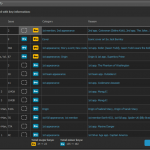 Introduced in November 2021, the Update Key Info tool is one the biggest and most popular features of the Comic Collector software. It automatically gives you crucial information about your collection, that is, which of your comics are major keys, which ones are minor keys. Of course, it also tells you why, for example: first appearances of characters, deaths, cameo appearances, first team appearances, origins, iconic cover art, etc…
However, since we introduced this feature, one of the most requested improvements has become:
“After updating my key info, I would like to see WHICH comics were updated and WHAT has changed.”
v23.5: Now supports our new CLZ Scanner barcode scanner app
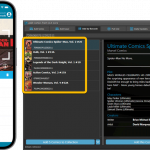 As announced last weekend, here it is, Comic Collector version 23.5 for Windows, with full support for our new CLZ Scanner barcode scanner app!
And as indicated earlier, support for the old CLZ Barry scanner app has now been removed.
Also new in this version: Improved support for barcodes that were used over multiple series.
What is CLZ Scanner?
The aptly-named “CLZ Scanner” is a barcode scanner app, nothing more, nothing less. It is an app that you use on your phone to scan barcodes and then instantly send those scanned barcodes to the Add Comics screen of the Comic Collector software running on your computer. From there, you can then easily and comfortably add the scanned comics to your computer software.
CLZ Scanner replaces the old CLZ Barry app.
v23.4: Three new slab-related fields, plus a new look for slabs!
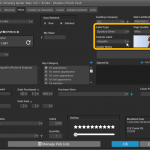 Version 23.4 is here, a big update that is all about slabbed comics!
More and more Comic Collector users are using the app to catalog slabbed comics (CGC, CBCS, PGX, etc..). So let’s take our slab support to the next level!
Here’s what’s new in Comic Collector today:
- Three new slab-related fields: Label Type, Page Quality and Custom Label.
- A cool new look for your slabs in the Details Panel (“Flex” template only!)
- Four new options for the Grade field: NG, PG, CVR and ART.
- A new setting “For raw comics, show Grade as letters”
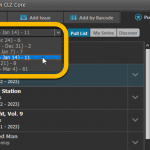 Woohoo, just barely into 2023 and we’re up to version 23.3 already!
Based on lots of feedback from members of the CLZ Comics group on Facebook, we decided to completely re-design and rewrite the Pull List feature.
This re-designed Pull List tool was already released for the CLZ Comics mobile app and for the Comic Connect web-based software a couple of months ago. Today, the new design has come to your Comic Collector desktop software, expanding it into a fully flexible way to browse recent and upcoming comic releases.
Here’s an overview of all the improvements:
- Much faster Pull List tab
- View releases per week
- List releases in series folders or as one “flat list”
- New “My Series” tab: view releases for your existing series
- New “Discover” tab: browse ALL recent and upcoming releases!
- Easier adding of series to your Pull List
- Easily open the full issue list for any series
 Another update for your Comic Collector software, version 23.2, in which we introduce the “Re-Link Core Variant” feature, a new and easier way to link your local entries to a different variant in Core.
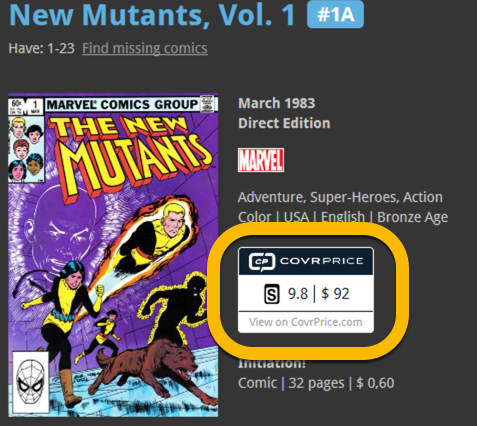
 Version 23.1 of of your Comic Collector software is now available for download. Based on your feedback and questions, we have made 2 big improvements to the CovrPrice integration, that is, to the way values are displayed in your software:
- Improved value displaying for My Value entries
- CovrPrice value box now also visible when CP value is 0
IMPORTANT: IMPORTANT: for the displaying of the CovrPrice links, the software now downloads “CovrPrice IDs” for all entries. This means that after your first Update Values action with v23.1, it will modify almost ALL your entries, causing a HUGE amount of changes when Syncing to the CLZ Cloud the next time!
TIP: before Updating Values for the 1st time with this version, switch OFF Auto-Syncing, then Update Values, then Sync with CLZ Cloud MANUALLY. This is much more efficient than letting it auto-sync. When done, feel free to switch ON the AutoSync again.
This is it, the big Launch Day of the CovrPrice integration!
As of today, you can get comic values from CovrPrice inside your Comic Collector software!
v22.2: Configurable Pre-fill, more configurable Update from Core fields + WebP support
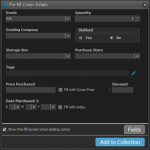 Another big update for your Comic Collector software already. Today, version 22.2 brings you 4 cool new features:
- User-configurable Pre-fill screen: choose your own fields
- More configuration settings for Add / Update from Core
- An easier and quicker way of marking Series as Completed
- Support for WebP images
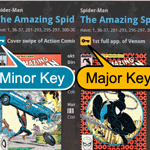 The “Automatic key comic info” feature, introduced early November, has proven to be enormously popular… BUT it is also easily THE most controversial feature that we have ever introduced to any of our software titles!
Most users are loving the extra little trivia about their comics. But others are annoyed by too many comics being “key” for reasons that are not important enough in their opinion.
Soo… let’s see if we can improve this feature, so that we can remove most of the annoyance and make it useful for a larger part of our audience.
Today, we introduce the following improvements to the key comics feature:
- Distinction between Minor Keys (blue icon) and Major Keys (yellow icon)
- New “Key Category” field, automatically delivered from Core, e.g. “First appearance”, “Death”, “Cameo appearance”, “Iconic cover”, etc..
- New “Update Key Info” tool in the CLZ Core, that is fully configurable (Minor/Major Keys, Allow Overwrite/Clear). No more need to use Update from Core.
- Key icons now also show in issue lists in Add Comics screen.
- New charts in Statistics screen, for Key Comics and Key Category.
v22.0: Automatic key comic info from Core and lots more
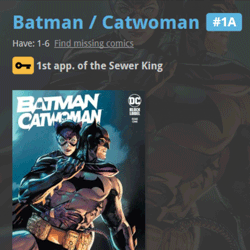 A huge 22.0 update for your Comic Collector software is now available, with one big new feature (key comic info!), many new fields and several improvements to existing features. All in one go and all based on your feedback!
New today:
- NEW: Automatic key comic information from Core!
- Many new fields (Sold date/price, Slab Cert Nr, Bag/Board date)
- Improved Add Comics screen: Hide Variants / Hide Owned / Sort Asc/Desc
- Improved “Missing Comics” screen (Show/Hide On Order and Unreleased)
- Your Pull List now syncs between devices and software platforms
- New Collection Status icons and colors
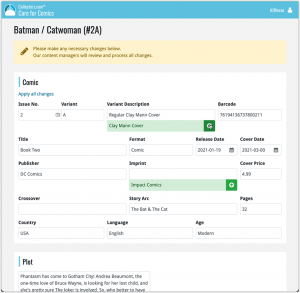 In this update, we are improving the Submit to Core system.
We have created a completely new site for processing your submitted entries, which is now fully responsive to your browser size and therefore now fully mobile-compatible.
At the same time, we created a new auto-login system, making submitting easier and more seamless.
 Another update for your Comic Collector software! In this latest version we’ve added the web-links field to the sync (including their description)!
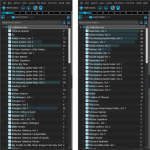 Version 21.4 is now available for your Comic Collector software, with a nice graphical update for your folder panel. The folder panel now show horizontal bars in the background behind the folder entries, representing the “relative size” of the folder, that is, relative to the biggest folder in your collection.
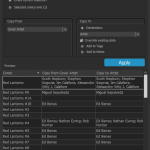 A nice new v21.3 update is available for Comic Collector now, in which we introduce a new super useful database management tool, called Transfer Field Data (new in the Tools menu).
In short, this tool lets you copy field values from one field to another, in batch, so for your entire database, or for a selection of comics.
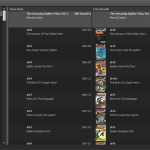 It is important to have your local comic entries linked to the corresponding entries in our Core online comic database, especially when syncing to the CLZ Cloud and/or the CLZ Comics mobile app. Because a correct Core link is what gives you all automatic comic details, like cover images, values, creators, characters, plots, etc..
All comic entries you added through the Add Comics from Core screen, will of course be linked with a Core entry automatically. However, if you added a comic manually, or if you imported a list of comics, e.g. from a CSV file, some of your entries may arrive “unlinked”. In which case you would need to do the linking afterwards.
Previously, linking comics with Core was done in an old and clunky screen, based on a very old version of the Add Comics from Core screen. But not anymore!
As of today, Comic Collector has a completely new Link Comics with Core screen.
This one is for the non-US users our Comic Collector software!
Now download GoCollect values in currencies other than USD!
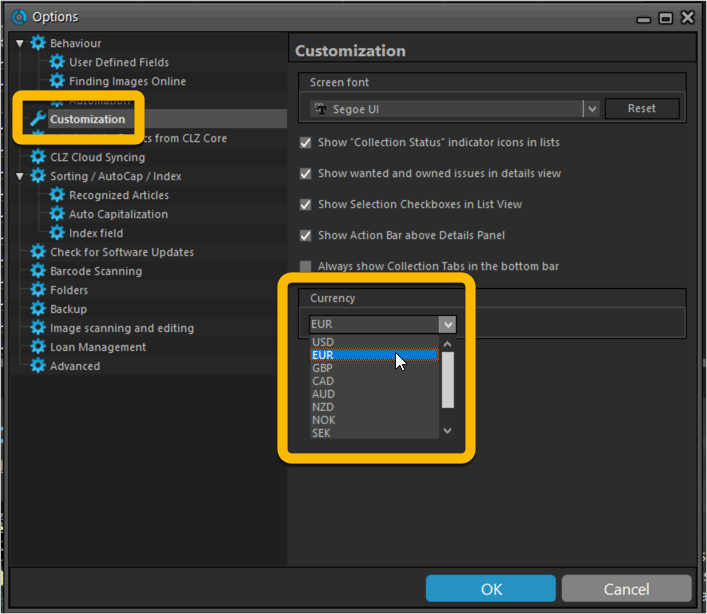
To select your preferred currency for the comic value, cover price and purchase price fields, use the Option screen(choose Tools / Options from the menu). Then under Customization > Currency, choose your desired currency.
Choose from USD, EUR, GBP, CAD, AUD, NZD, CHF, NOK, SEK or DKK.
v21.0.4 Extra Collection Status dropdown button in Add Screen
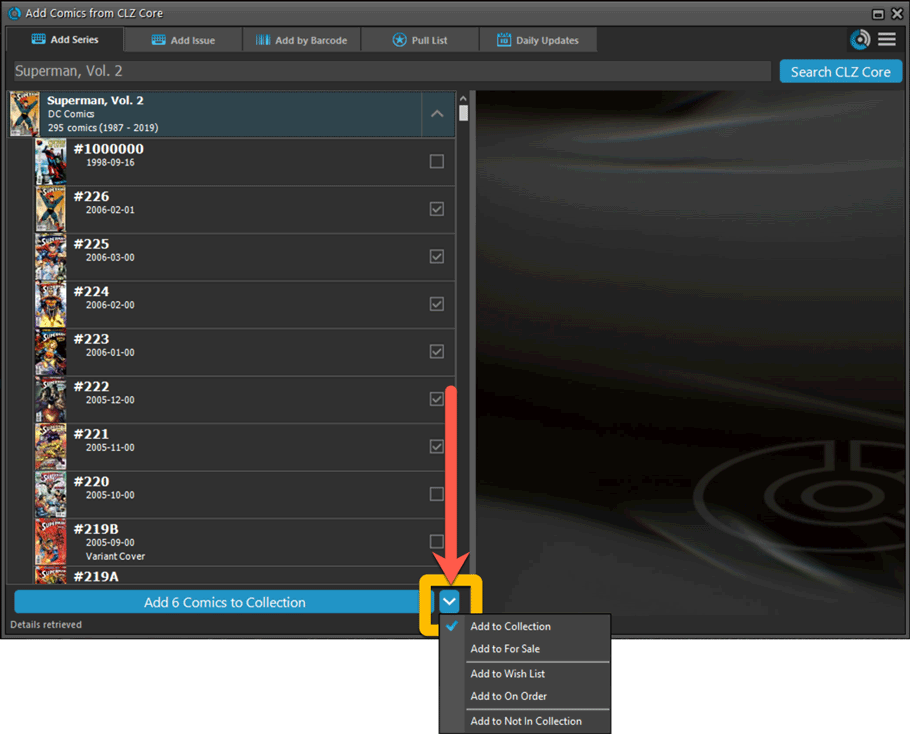
Add Screen: Select Collection Status with the extra dropdown button
The Collection Status field has been moved out of the Pre-Fill screen and into a dropdown in the regular Add Screen for quick access. We already added it under the “preview panel” in the last build, but after many request, we’ve now also added the dropdown button beneath the left hand panel:
Fixed:
- Update from Core: could give an access violation error if a comic did not have a grade set
- Options: “Use Field Default” option for Collection Status didn’t work
- Add Screen: Various text and color fixes
Instead of jumping on the next big feature update, we decided to take a couple of weeks to work on various small improvements and fixes. Here’s what’s new and fixed in today’s update:
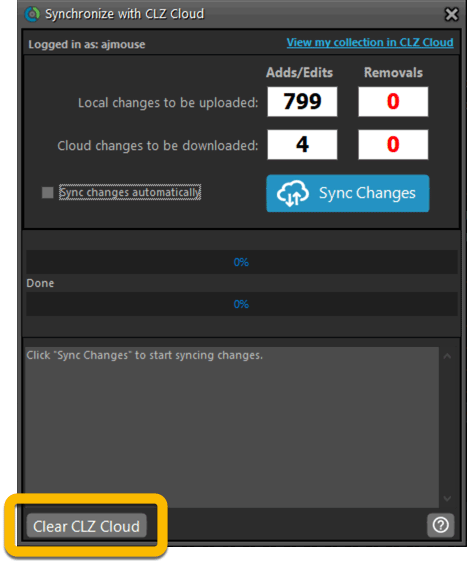
New: Clear your CLZ Cloud right from the Sync screen
No more need to login to the CLZ Cloud site and use “Clear Database” there. It is now possible to clear/reset your CLZ Cloud straight from the Sync screen, using the Clear CLZ Cloud button at the bottom.
BTW: please only use this when strictly necessary, in case of problems. Clearing the cloud and re-syncing all items is a heavy operation and causes seriously load on our servers. Thank you!
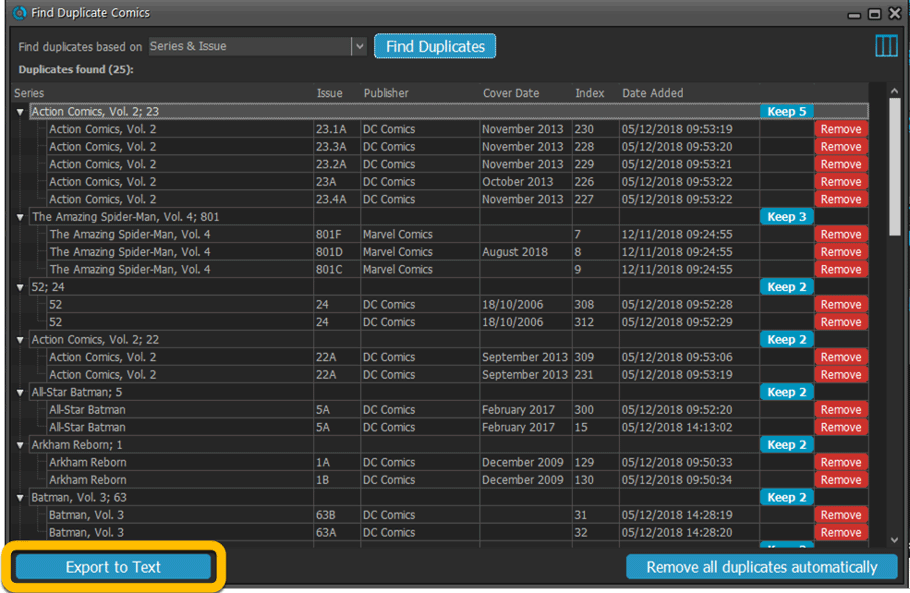
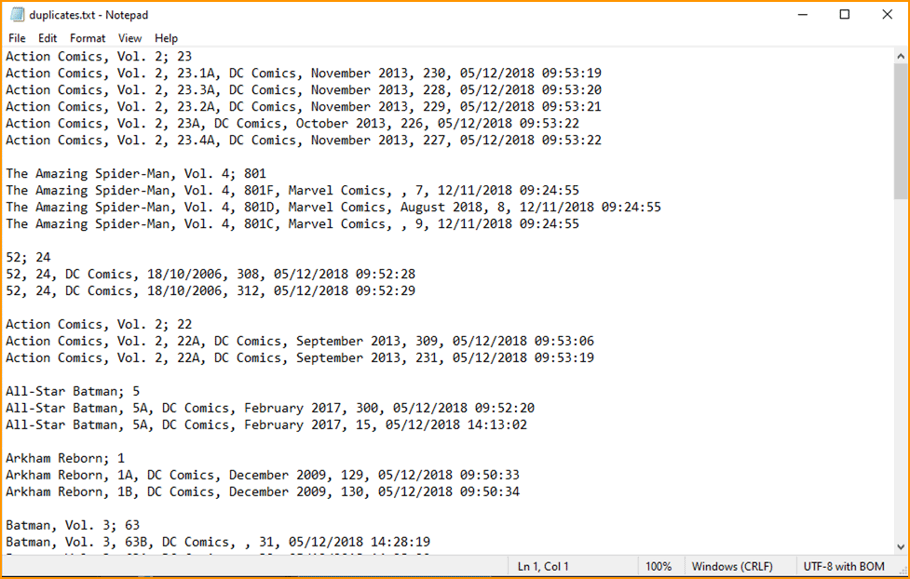
New: Find Duplicates results can now be exported to a TEXT file
By popular demand: you can now export the results of the Find Duplicates screen, either to take with you as a text file, or for printing.
New: Use the Statistics screen on a selection
Something that “got lost” when we replaced the old Database Totals screen with the fancy new Statistics screen: being able to see totals for the selected items in the main screen.
So… now that feature is back! Just select items in the main screen, using the checkboxes or Select All, then open Tools / Statistics to see totals and charts for just those items.
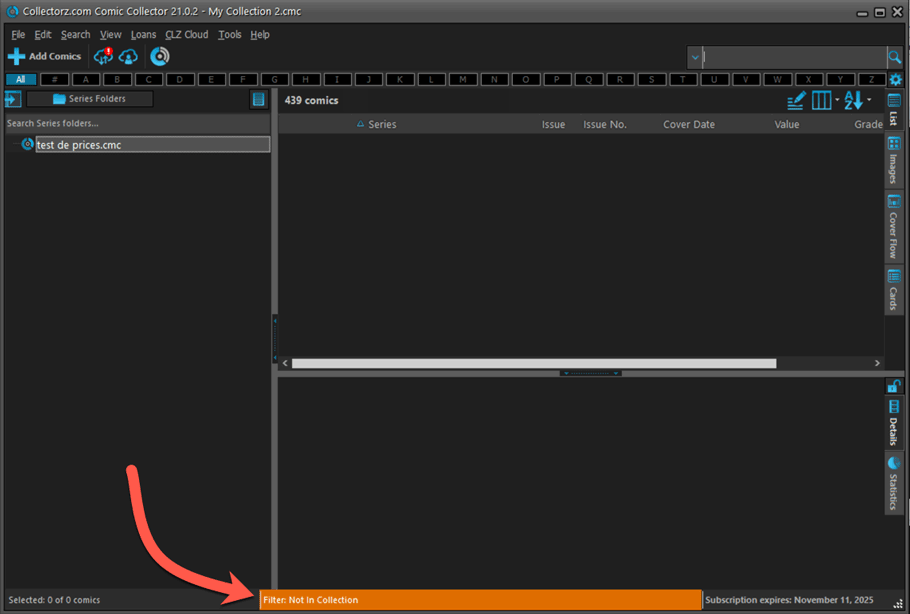
New: Filter area in status bar now highlights when a filter is active
A common question in support: “Why don’t I see all my items anymore”. Always turns out that a filter is active, either in the Quick Filter Panel, the Alphabet Bar or the search box.
To make this clearer, the Filter area in the status bar at the bottom now highlights in yellow when a filter is active.
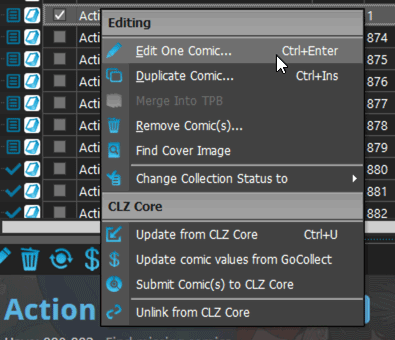
Improved right-mouse click context menus, with sub-headers
Through the years, new commands kept being added to the right click context menus, and to be honest, they became a bit messy. So about time we cleaned them up.
All main screen context menu’s have now been cleaned up, re-ordered and re-grouped with nice sub-headers.
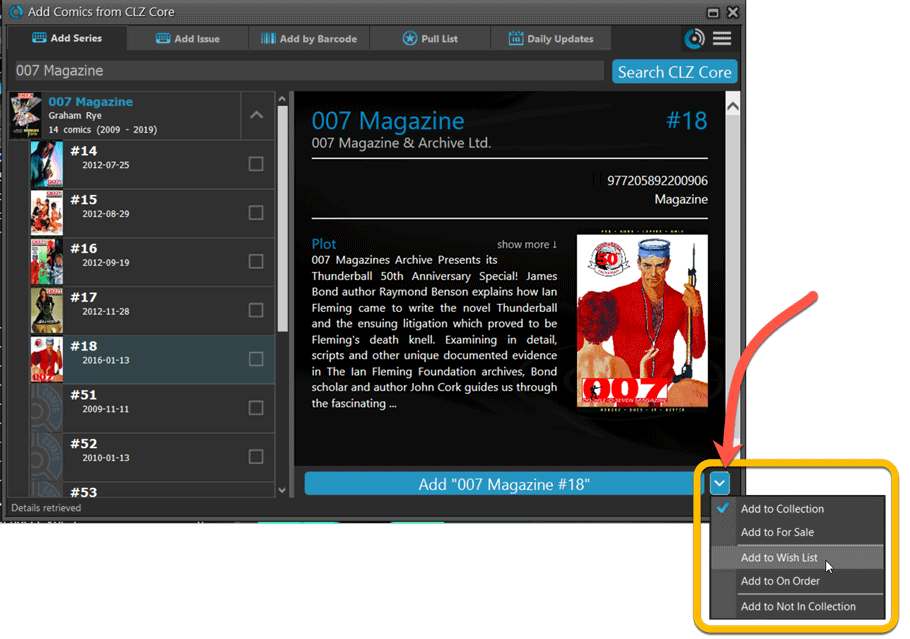
Add Screen: Select Collection Status with the new dropdown button
The Collection Status field has been moved out of the Pre-Fill screen and into a dropdown in the regular Add Screen for quick access.
Fixed:
- Have/Want list did not show for Series marked as completed
- Find Missing Comics screen now also takes issues within TPBs into account
- Card View: mouse wheel scrolling was broken
- After Select All in list, some action bar button did not show up
- After editing, the list did not scroll to the edited item anymore
- Statistics: rare Access Violation while loading the screen
- Picklist item images are now automatically resolved when folder changes
- Update File Links: manual mode missing trailing slash by default
v21.0: Add by Issue, Update Values report and a new Missing Comics tool!
It is December 2, 2020, so about time for Comic Collector 21!
With this huge v21 update, we are responding to the most common feature requests we have been receiving from Comic Collector users in the past few years. This has resulted in what may be the biggest Comic Collector update in years, with 3 completely new comic specific features and 1 improvement to an existing tool.
Here’s what’s new:
New Add Issue tab in Add Comics screen
In the Add Comics screen, when searching for a comic “By Series Title”, you are sometimes getting so many series results, that it can be hard to find the exact comic you have in your hands. You may find yourself expanding series after series, to find the issue you need.
But not anymore, as today’s update will make this a lot easier: Just use the new “Add Issue” tab in the Add Comics screen to search by Series title AND Issue number in one go.
E.g. search for “iron man 17” and it will instantly show you a simple flat list of all issues 17 of matching Iron Man series.
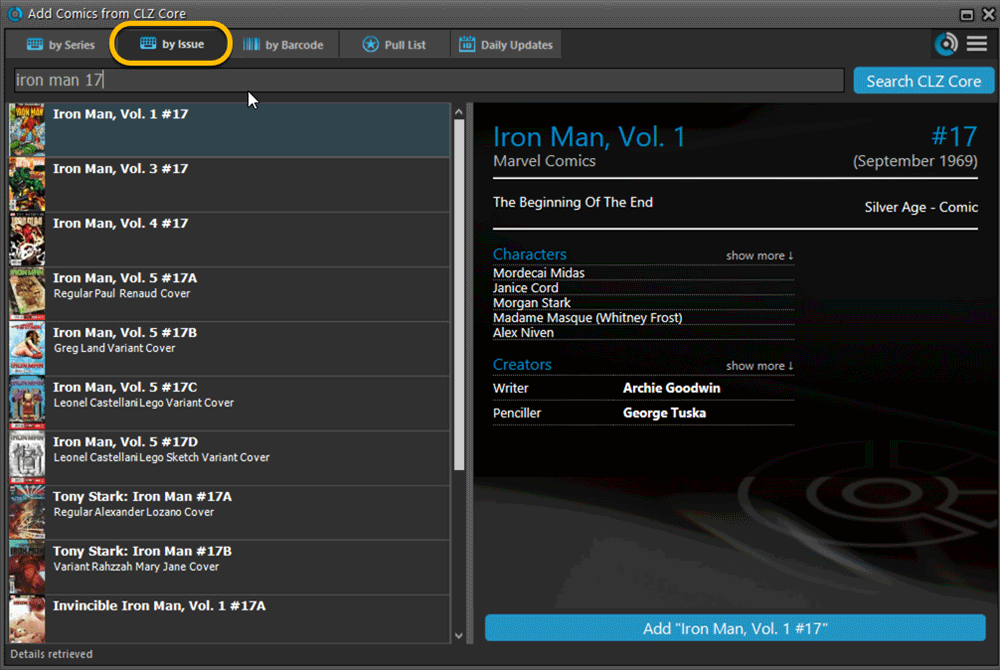
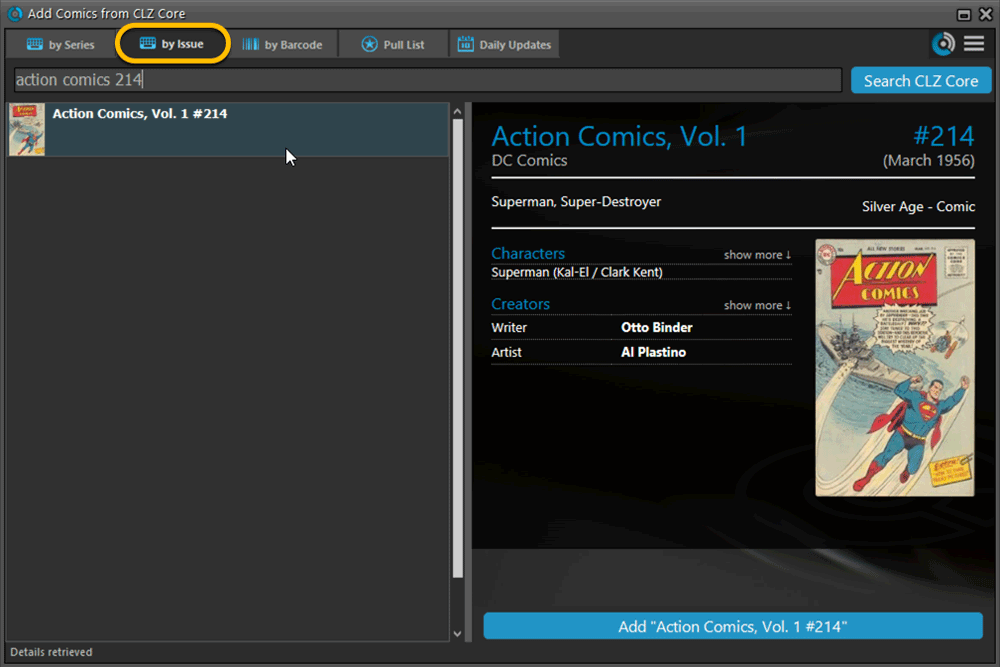
Note that the list of matches will automatically be a lot shorter, because the results will only include the series that actually have the issue number you are looking. For example, search for “action comics 214” and it will instantly give you the exact comic you are looking for.
Update Values report
Since we introduced the Update Values from GoCollect feature, one of the most common questions we received at customer support has been:
After I update the values for my comics, is there any way I can see which comics have been updated?
So, after one year of having to say “sorry, no that is not possible”, we figured, let’s make it possible.
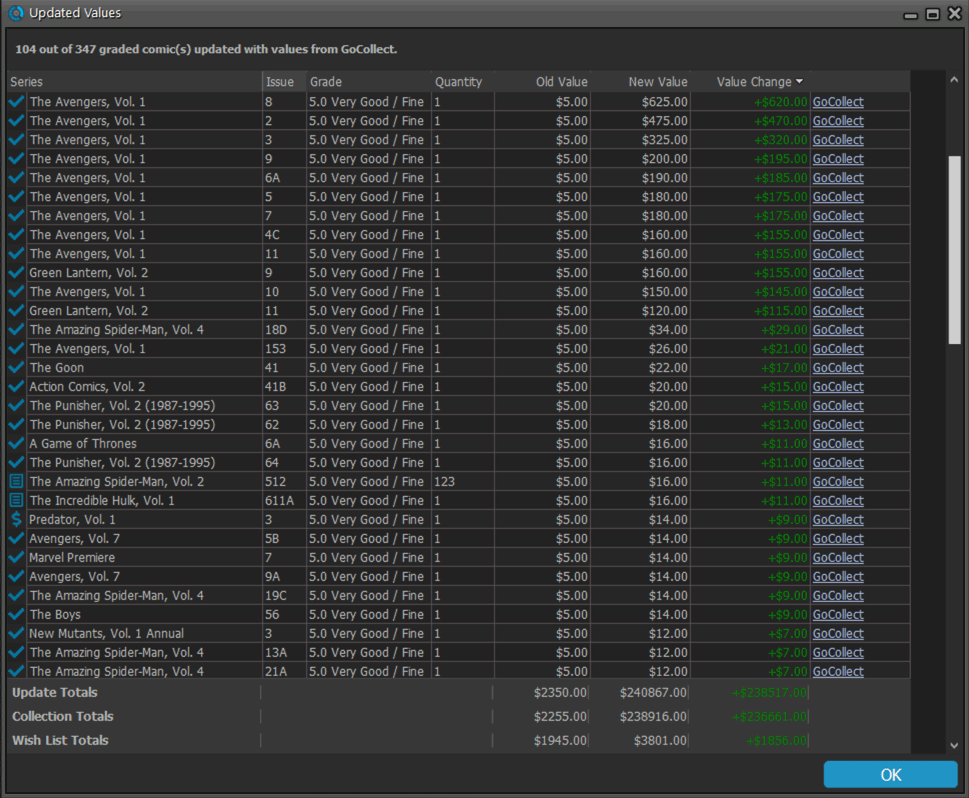
And of course, we went way beyond just showing which comics have been updated. As of today, after you run Update Values, you will get a nice “Updated Values” report, showing you:
- which comics have been updated
- their previous values and the new values
- the value change, in green when increased, in red when decreased
- links to GoCollect to see further historic values
- total value changes for the updated comics and for your entire collection
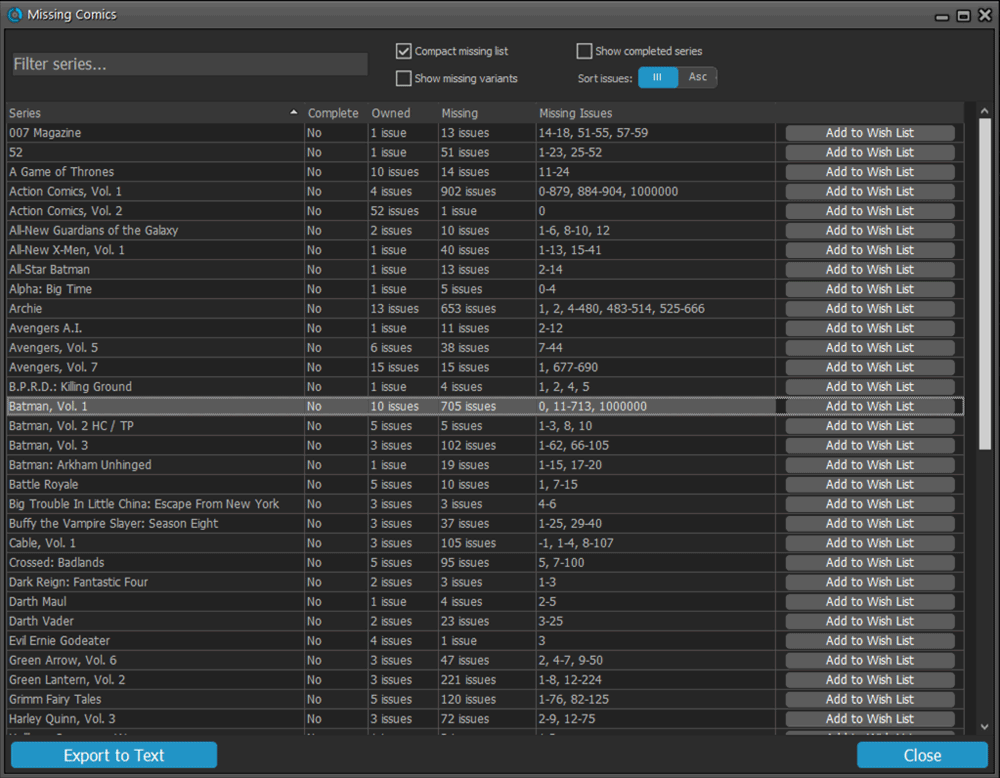
Missing Comics screen
Another common request that we have been hearing from many years:
Is there any way I can find which comics I am MISSING for my series
Definitely not an easy feature to implement, because the first question immediately is “what about variants?”. If you own issue 13A, do you regard issue 13B, 13C and 13D as missing or not?
So our UI/US designed AJ and I (Alwin) sat down to design a flexible “Missing Comics” screen that gives you full flexibility to conjure up the missing comics list you are looking for.
Based on our ideas, web-developer Sven created a super-fast search engine on our servers, that can instantly return issue number lists for any series. Still not sure how he made it this fast, but you’ll definitely love the speed of this too.
Then finally, Windows developer Joe created the new Missing Comics tool that you can now find in the Tools menu of version 21. Alternatively, open it from the “Find missing comics” link next to you Have list in the details area.
Use the checkboxes and sort toggle at the top to:
- Show or Hide missing variants.
- Switch between a compact list and a verbose list. (the compact view lists missing comics in “ranges”.)
- Show or Hide series that are completed already.
- Order the missing issue lists in Ascending or Descending order.
IMPORTANT: the Missing Comics tool is a new online service that always requires an ACTIVE Comic Collector subscription.
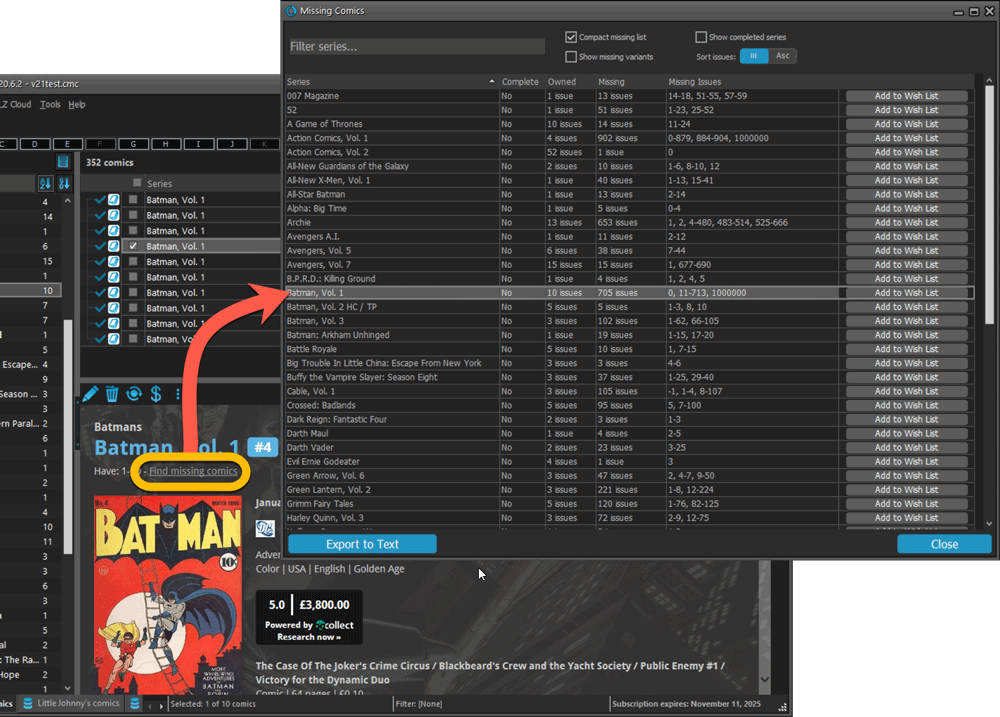
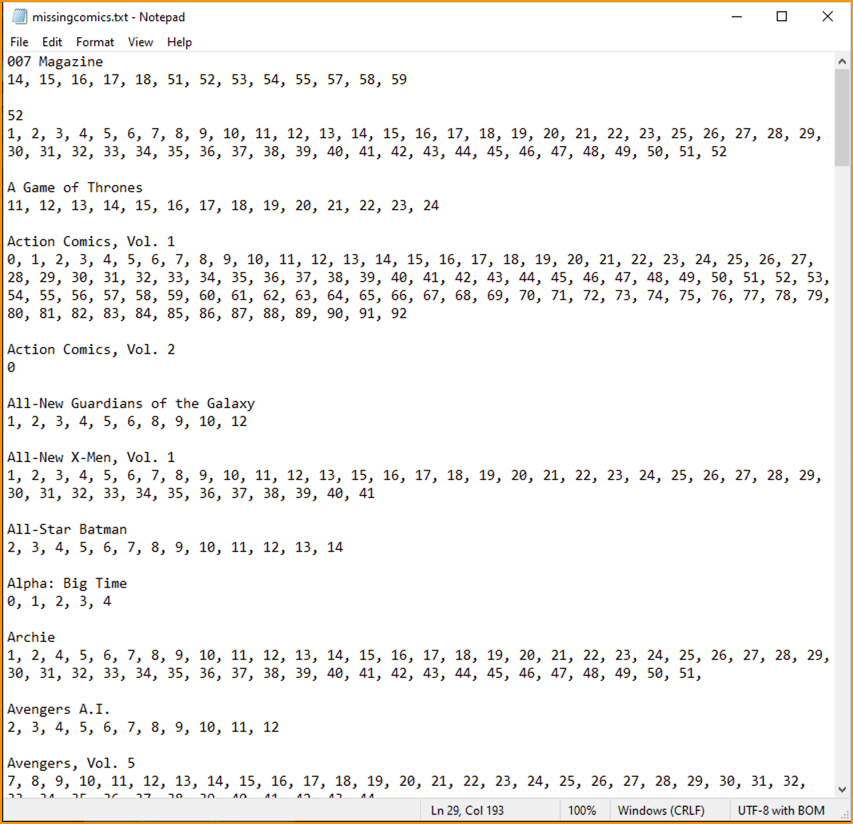
Use the button on bottom left to generate a nice text file that you can print off, for taking with you to the store or to a show:
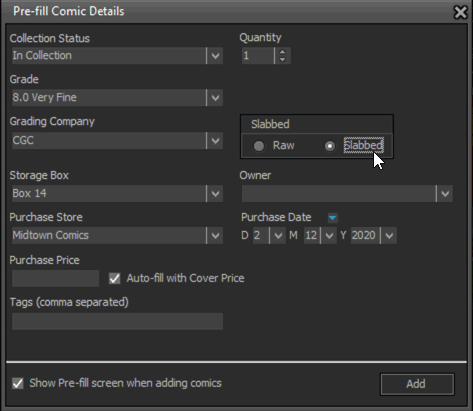
Improved Pre-fill screen (previously called Quick-Fill)
The Quick-Fill screen is a time-saving tool that lets you set some fields immediately when adding new comics.
In today’s update, we changed the screen to a 2-column layout and have added several fields to the screen (Grading Company, Slabbed vs Raw, Tags, plus the ability to “Auto-fill Purchase Price with Cover Price”.
Also, we have renamed the screen to “Pre-fill Comic Details” to make the purpose a bit clearer.
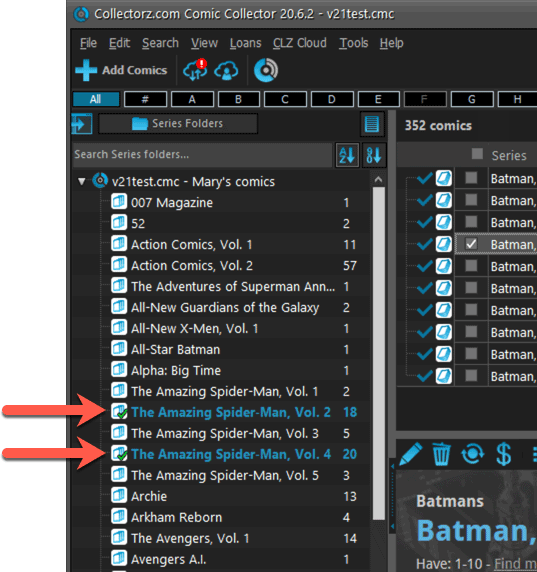
Completed Series folders are now hilited in blue
In the Edit Series screen, you can mark a series a “Completed”. Previously this only change the icon of the series in the folder panel, but with version 21, the program now also hi-lites the folder name in bold and blue:
The Manage Pick Lists screen is one of the most important screens of your Comic Collector software. This is the screen you need for:
- Merging duplicate series entries
- Correct a Series sort name
- Fixing typos in Series, Tags, Locations, etc…
- Removing unused pick list entries
- etc… etc…
But… judging from daily questions in our support channels, many users don’t even know of its existence. (Hint: it can be opened from the Edit menu). So with today’s update we are aiming to increase the awareness the Manage Pick Lists screen and to make it easier to access from anywhere.
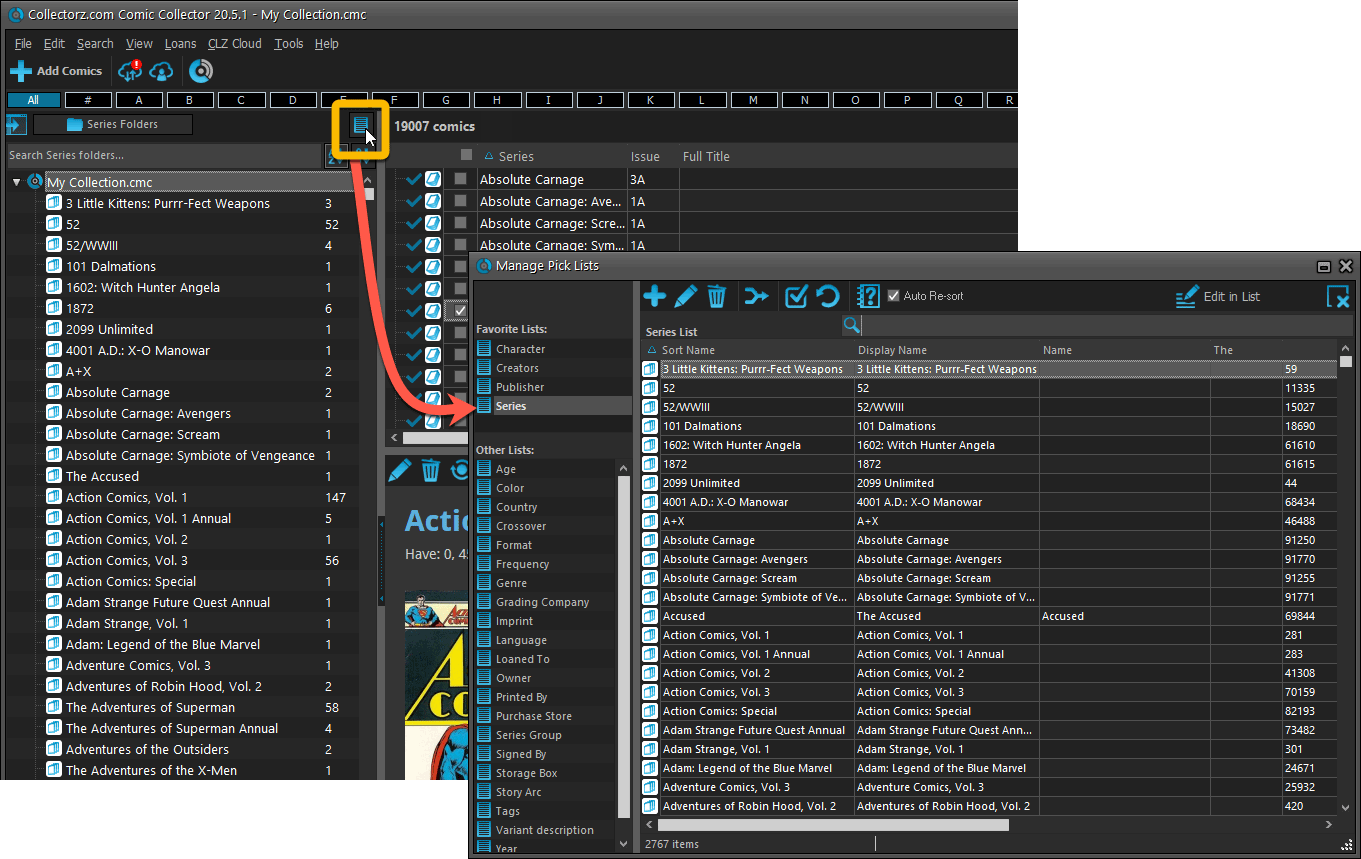
From the main screen folder panel
In the main screen, you can now easily access the Manage Pick Lists screen for the selected folder field. Just click the new button right above the folder panel:
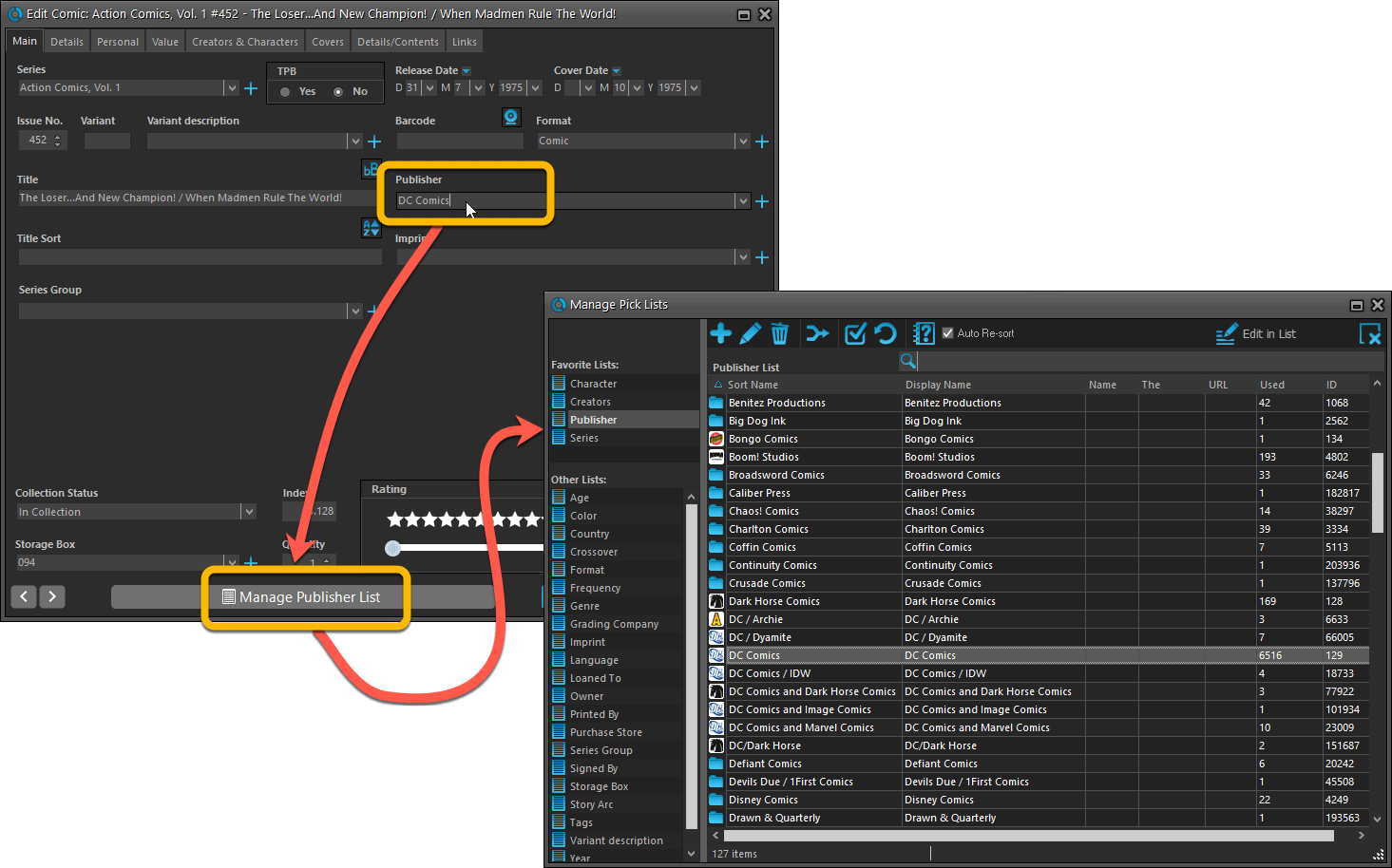
From the Edit Comic screen
The Edit Comic screen now has a big Manage [..] List button at the bottom, that automatically changes to match the field you are currently at:
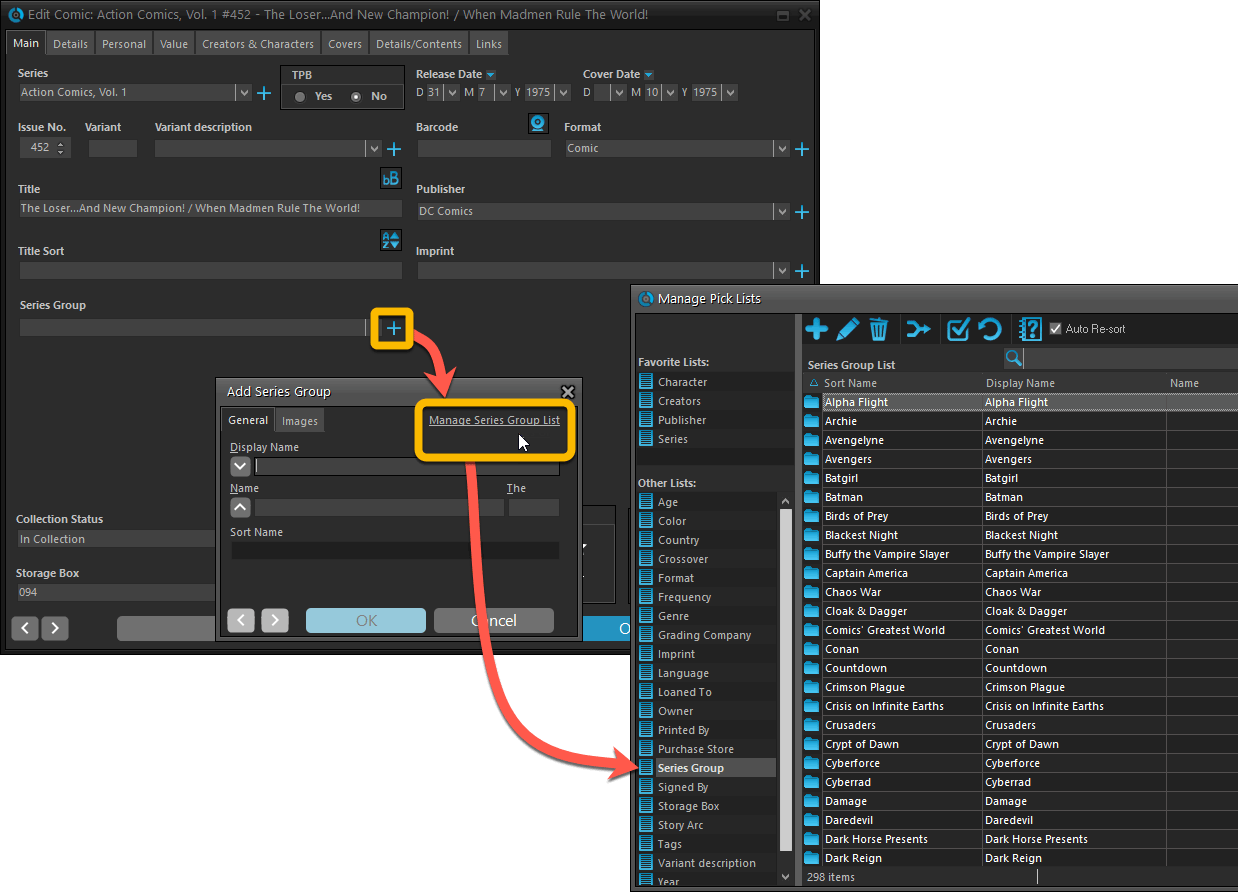
From the Add/Edit item screen
Fixed:
- Add Comic: If you add a comic that’s already on wish list, and you move it to wish list, the program now updates that entry with the information from the Quick Fill pop up.
- Quick Fill popup: now remembers which date you used last for “purchase date” (unless you’re using “set today as purchase date” in Field Defaults).
- User Defined Yes/No fields are now available as options for the folder panel.
- Edit Multiple: Updating date fields wasn’t always working correctly if you only filled in a year.
- Edit in List: Editing the Collection Status field did not work.
- Folder panel: “Collection Status” folder option has been moved to “Personal” heading.
- Folder panel: contained “creators” folder option twice.
A big update for the Comic Collector software today, with several improvements and fixes, all based on the daily feedback we are getting from our users.
Changing your folder field is now much easier
The folder panel is one of the most powerful tools of your Comic Collector software. However, in our support conversations with users, we are finding that most users are always leaving their software on the out-of-the-box Series folders and never use anything else.
Which is sad, as they are missing out on a great tool. The folder panel instantly lets you group and filter your database on other fields too, e.g. by Publisher, by Grade, by Storage Box, etc.. Super useful and fun!
Now… I must admit that changing your folder panel to a different field was not very easy or obvious. As you had to create a “preset”, add your desired field(s), give the preset a name, save it, then finally activate the new preset in the folder panel.
So… we decided to make this all *much* easier, especially for single field folder settings.
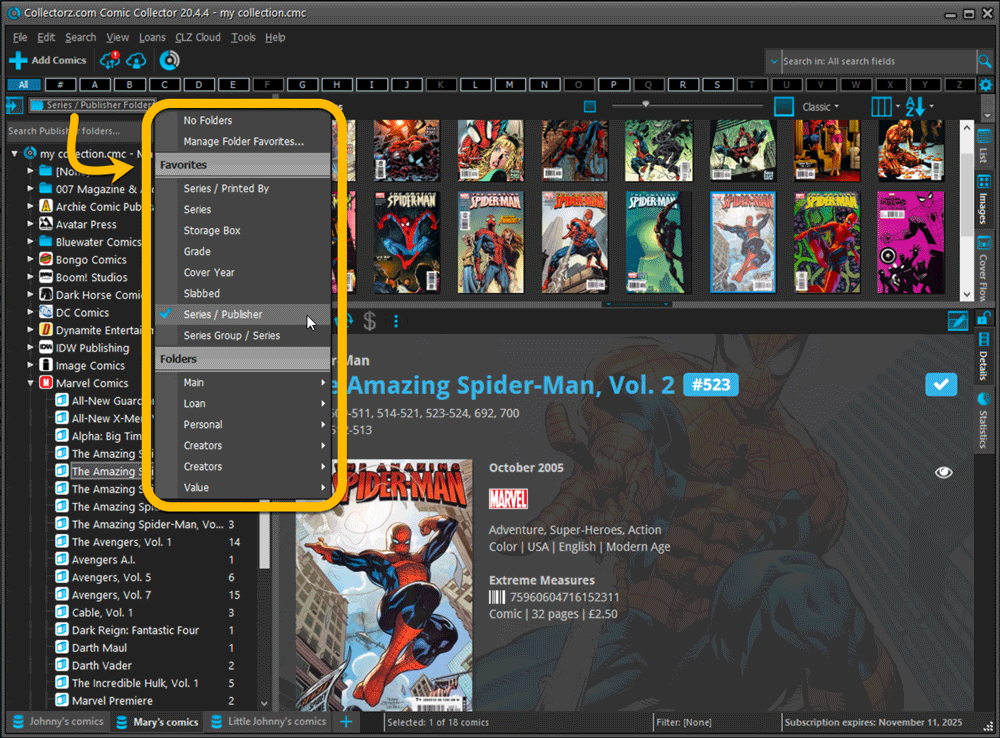
- You can now directly select any folder field for the folder panel, without having to create a preset first. Just instantly pick your desired folder field under the “Folders” heading in the menu of the Folder button.
- Presets are now called Favorites.
- You can still create your own Favorite folder options, e.g. for multi-level folder settings (e.g. Series Group, then Series), or just to make a specific 1-field setting easily accessible.
- Your Favorite folder settings are listed at the top of the menu, under the Favorites heading.
- New: no more need to manually name your Favorites. Sensible names are created automatically (the selected fields separated by slashes).
Columns and Sorting
- For Columns and Sorting, “Presets” have been renamed to “Favorites” too.
- For Sort Favorites: no more need to manually name your Favorites. Sensible names are created automatically (the selected fields separated by slashes).
Edit Comic: add multiple Creators, Characters, etc.. in one go
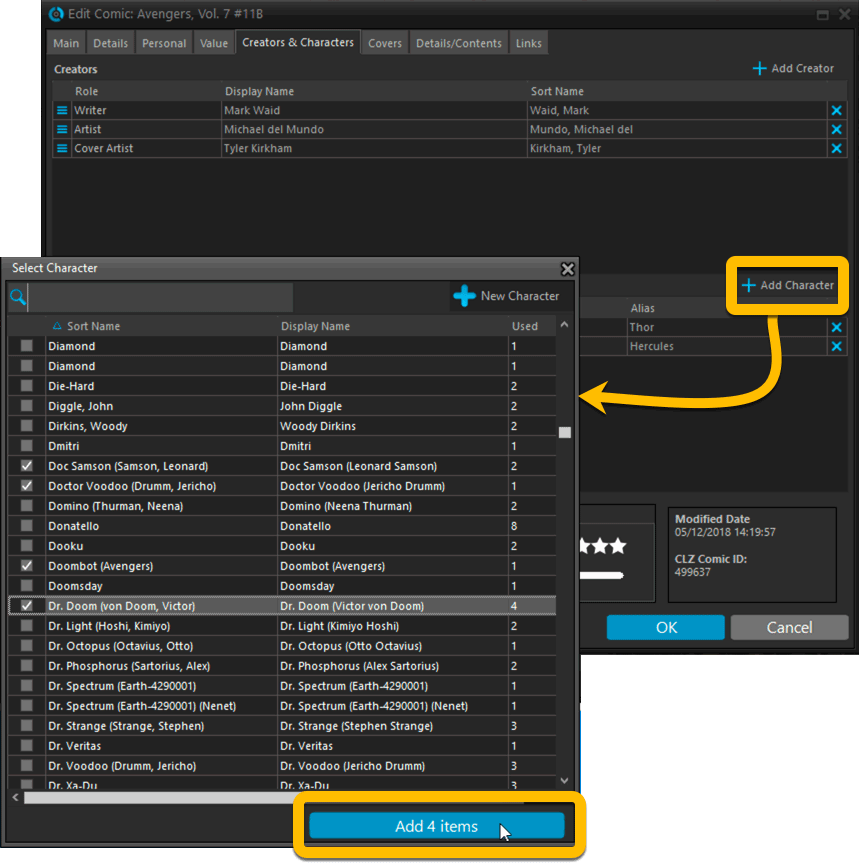
The Select screen for adding creators, characters, etc… now includes checkboxes, so that you can multiple in one go. No more need to go back and fort between the Select and Edit screen to add multiple.
The new checkboxes for selecting multiple values in one go are now available in the Select screen for the following fields:
- Credits
- Characters
- Signed by
- Tags
Fixed:
- Using “Select All” in your list was very slow. Super fast again now 🙂
- Print screen: “Field ID 221 has no XML tagname” error, when printing the Collection Status field as a column.
- Removed the annoying “beep” when searching in the Add Comics screen.
Harder, Better, Faster, Stronger!
Here’s another big update for your Comic Collector software, with two further performance improvements:
Faster image downloads
We were able to make several improvements to the way images are downloaded (covers, preview art and backdrops), making it much faster than before.
This change affects all places where images are downloaded from our servers, that is, when Adding Comics from Core, when Updating from Core and when down-syncing from CLZ Cloud.
Faster Update from Core
On large collections the old Update from Core feature was quite slow, as it updated your comics one by one, that is, doing separate requests to our server for each and every comic.
So for this update, we also complete rewrote the Update from Core feature to do the updates in batches of 100 comics at a time, making it much much faster! (roughly 4 times as fast).
Remember: Update From Core can be used to update your local comic entries with possible extra data from our Core online comic database. To use this feature, select some comics, right click, then choose Update from Core.
Fixed:
- When using My Rating as the folder field, the “0” folder was missing.
- When using multiple levels of folders in the folder panel, sometimes the displayed counters were wrong.
- Images View: it is now possible to change thumb size using Ctrl + mouse wheel.
When users send us screenshots during support conversations, we are seeing that many of you are using the Shelves View when browsing your collections. And we can’t blame you, that IS a cool looking view 🙂 However, it *could* be a bit slow and jerky, especially when displaying many cover images in one list.
So our Windows guy Joe has spent several weeks to make this Shelves View faster and smoother. At the same time, our in-house graphics man AJ has created two new Shelf styles. Here’s what’s new:
- Images are now loading a lot faster.
- Scrolling is faster and smoother.
- Shelves background is smoother, no more visible tile edges.
- Shelves now always continue over the full width, even when a row is not full.
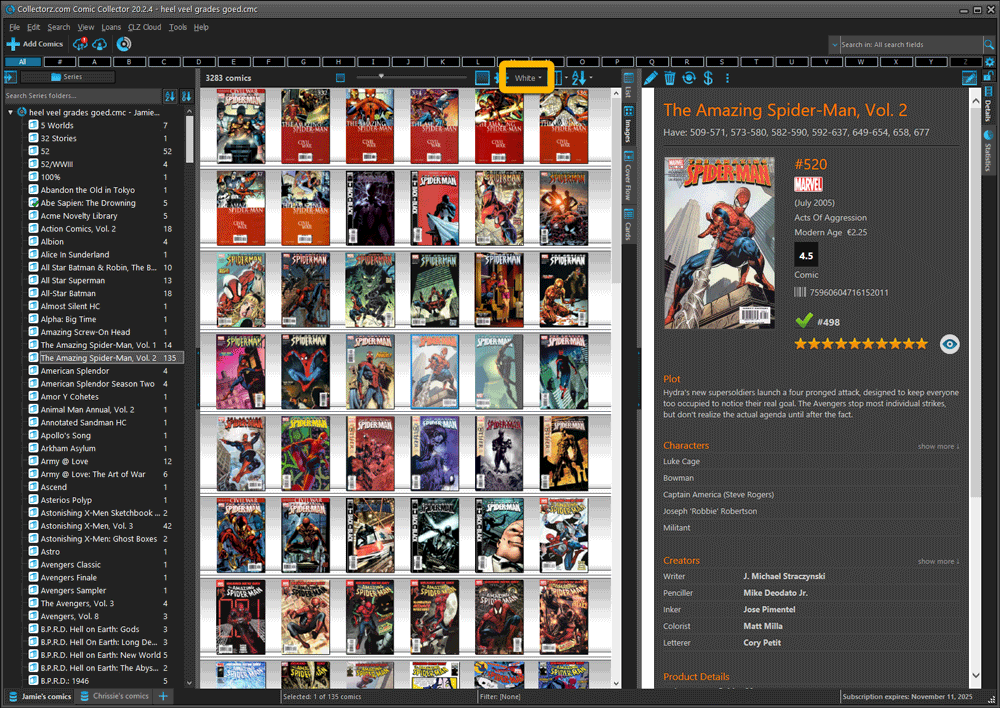
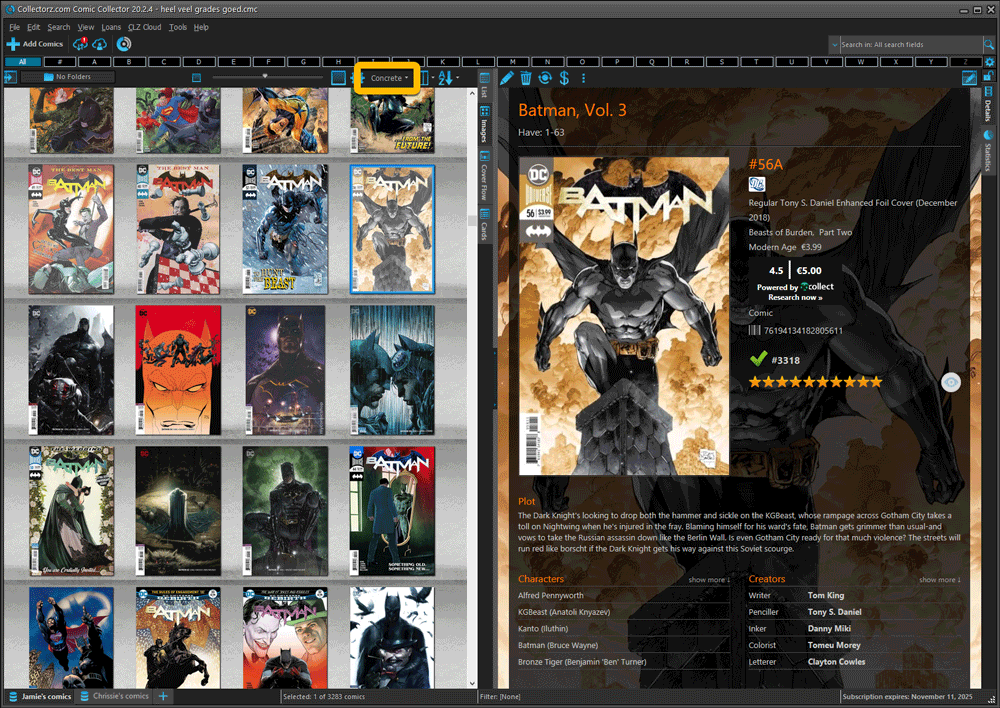
- Two new Shelf Styles are now available: White and Concrete.
TIP: here’s how to get to Shelves View:
in your program’s comic list panel, click the vertical Images tab on the right, then from the toolbar above the list panel, choose a Shelf Style. Use the slider to control the size of the images.
The new “White” style:
The new “Concrete” style:
Faster CLZ Cloud syncing!
We have made several structural changes to the CLZ Cloud syncing, making it much much faster than before, especially when syncing large amounts of entries up to the CLZ Cloud or down from the CLZ Cloud.
To enjoy the faster syncing, you need to use the actual Sync with CLZ Cloud screen.
(The Auto-Syncing in the background is also slightly faster now, but if you need to sync many entries up or down, please use the Sync with CLZ Cloud screen.)
Improved stability when using Auto-Syncing
At the same time, we have resolved several issues with the Auto-Syncing in the background, problems that could cause Access Violations in some situation. So this 20.2 version should provide a more stable experience too.
v20.1: Easily add and report comics with “unrecognized barcodes”
Another big update for your Comic Collector software for Windows. With this version 20.1, we’re introducing two improvements to the “Add Comics by barcode” feature.
Easily add and report comics with “unrecognized barcodes”
In general, our CLZ Core online comic database gives you excellent results on your barcode searches. However, it can always happen that you scan a comic’s barcode and it comes up as “unrecognized”, meaning that the barcode is not listed in our CLZ Core yet.
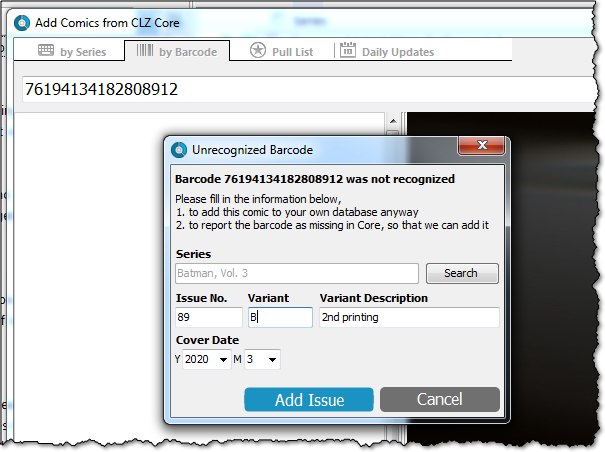
In today’s update, we have added a new “Unrecognized Barcode” screen, that serves two purposes. It lets you:
- Easily add the comic to your database anyway
- Report the barcode as missing, so that we can add it to our Core ASAP
Just fill in the following fields:
- Series
- Issue No and Variant
- Variant Description
- Cover Year and Month
and hit Add Issue at the bottom.
BTW: please make sure that you scanned the FULL barcode before reporting it as missing!
Let’s work together to get all comic barcodes added to the CLZ Core!
Barcode search now supports multiple results
For older comics (1970 to 1990 era), publishers sometimes re-used barcodes on different issues in the same series. The Comic Collector software has never supported that situation well, it would just returned ONE of those issue.
However, with more and more barcodes for older comics now being added, we have updated the barcode search engine to fully support this situation. When searching for a barcode that was used for multiple issues, the program will now give you all matching results, for you to choose from.